
eCommerce Image Optimization: The Complete Guide to Faster Stores & Better SEO
eCommerce Image Optimization: The Complete Guide to Faster Stores & Better SEO
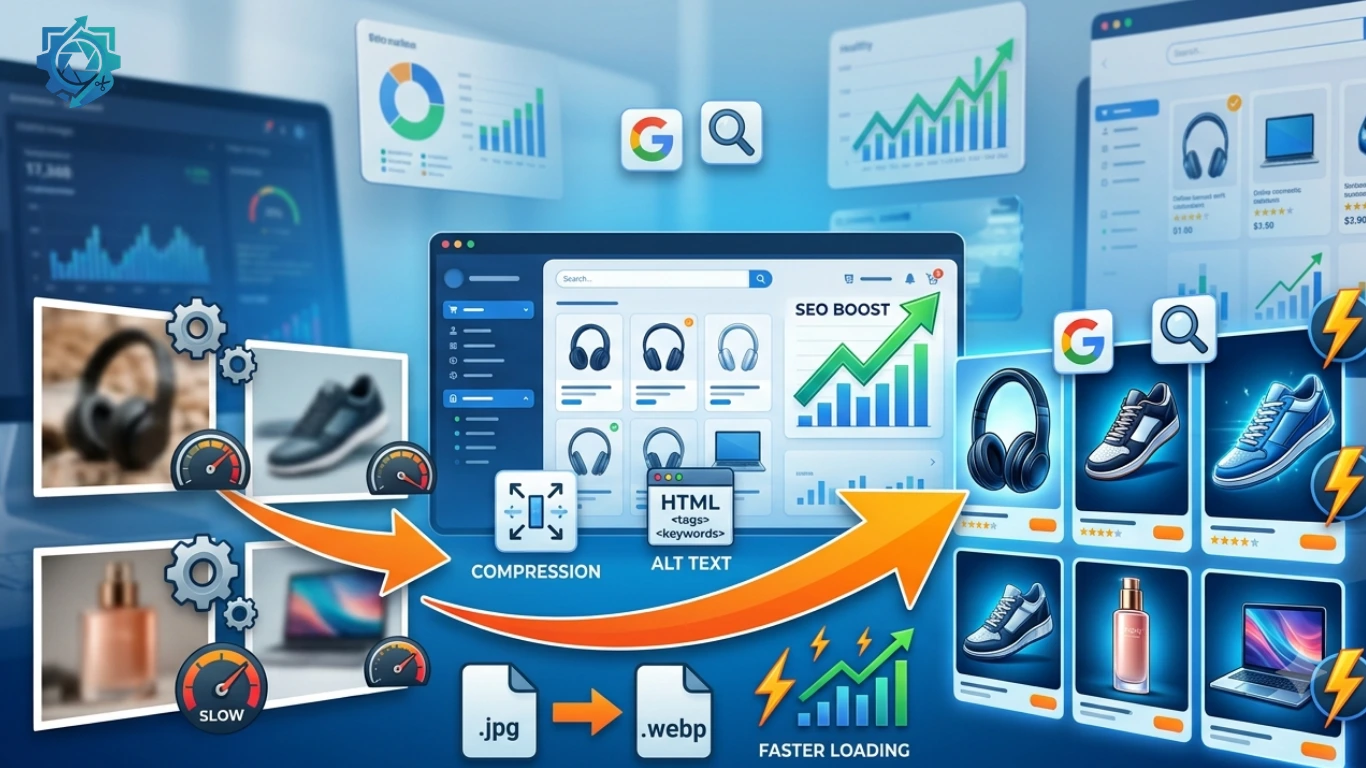
High-quality product images are essential for every online store, but they can also be one of the biggest reasons why an eCommerce website loads slowly. Slow-loading pages frustrate customers, increase bounce rates, and can negatively affect your search engine rankings.
This comprehensive guide explains everything you need to know about eCommerce image optimization, including image compression, resizing, choosing the right file formats, improving Core Web Vitals, and optimizing product images for better SEO and higher conversions.
Whether you use Shopify, WooCommerce, Magento, BigCommerce, Wix, Squarespace, or a custom eCommerce platform, these best practices will help you create a faster, more user-friendly online store.
Table of Contents
- What Is eCommerce Image Optimization?
- Why Image Optimization Matters
- SEO Benefits of Optimized Images
- Best Image Formats
- Image Compression Techniques
- Recommended Image Sizes
- Image Optimization & Core Web Vitals
- Image SEO Best Practices
- Common Mistakes to Avoid
- Best Image Optimization Tools
- Frequently Asked Questions
What Is eCommerce Image Optimization?
eCommerce image optimization is the process of reducing image file sizes while maintaining excellent visual quality. The goal is to make product pages load faster without sacrificing the appearance of your products.
Image optimization involves several techniques, including:
- Resizing oversized images
- Compressing image files
- Choosing the correct file format
- Using modern image formats like WebP
- Adding descriptive file names
- Writing SEO-friendly ALT text
- Implementing lazy loading
- Serving responsive images for different devices
Many online store owners upload product images directly from smartphones or professional cameras. These files are often several megabytes in size, even though visitors only need images that display at around 1200 pixels wide.
Optimizing these images can reduce file sizes by more than 70% while maintaining nearly identical visual quality.
Always resize your images before uploading them to your website. Uploading a 5000-pixel image when your website displays only 1200 pixels wastes bandwidth and slows page loading.
Why Image Optimization Matters for eCommerce
According to multiple industry studies, website speed directly impacts customer satisfaction, conversions, and revenue. Visitors expect online stores to load within a few seconds. Every additional second increases the likelihood that potential customers will leave before making a purchase.
Since product images often account for the majority of a webpage’s total size, optimizing them is one of the fastest ways to improve website performance.
Benefits of Image Optimization
-
Faster Page Loading
Compressed and properly sized images reduce the amount of data visitors must download, resulting in significantly faster page loads. -
Better User Experience
Customers can browse products quickly without waiting for large images to load. -
Lower Bounce Rate
Fast websites encourage visitors to stay longer and explore more products. -
Improved Mobile Performance
Mobile users often have slower internet connections. Smaller image files dramatically improve mobile browsing. -
Reduced Hosting Costs
Optimized images consume less bandwidth and storage, reducing server resources. -
Higher Conversion Rates
A faster shopping experience helps customers complete purchases with fewer interruptions.
Product images typically account for 50% to 80% of the total page size on many eCommerce websites. Optimizing them can significantly improve loading speed without changing your website design.
How Image Optimization Improves SEO
Google’s ranking algorithms consider page experience as an important factor when evaluating websites. Although high-quality content remains essential, a slow website can still struggle to achieve its full ranking potential.
Optimized images contribute to improved search engine optimization in several ways.
1. Faster Loading Speed
Google rewards websites that provide a better user experience. Faster pages generally achieve better rankings because visitors can access information quickly.
2. Better Core Web Vitals
Large product images often become the Largest Contentful Paint (LCP) element on an eCommerce page. Compressing and resizing images can significantly improve this important Core Web Vitals metric.
3. Improved Crawl Efficiency
Smaller pages allow search engine crawlers to process more pages using the same crawl budget, helping large online stores get indexed more efficiently.
4. Higher Engagement
Fast-loading websites encourage visitors to browse additional products, increasing average session duration and reducing bounce rates.
5. Better Image Search Rankings
Well-optimized images with descriptive file names and ALT text have a greater chance of appearing in Google Images, generating additional organic traffic.
6. Enhanced Accessibility
Descriptive ALT text helps visually impaired users understand your images while also giving search engines additional context about your products.
SEO Checklist
- Use descriptive image file names.
- Add meaningful ALT text.
- Compress every product image.
- Resize images before uploading.
- Use WebP whenever possible.
- Enable lazy loading.
- Create an image sitemap.
- Use responsive images for mobile devices.
- Avoid duplicate images with different filenames.
- Regularly test page speed using Google PageSpeed Insights.
Image optimization is not just about reducing file size. It also includes descriptive filenames, structured data, ALT text, responsive delivery, and choosing modern image formats such as WebP.
Continue Reading: In the next section, we’ll explore the best image formats (JPEG, PNG, WebP, and AVIF), when to use each one, and how they impact website speed and SEO.
Best Image Formats for eCommerce Websites
Choosing the right image format is just as important as compressing your images. Different formats are designed for different purposes. Using the wrong format can unnecessarily increase page size and slow down your website.
The four most common image formats used in eCommerce are JPEG (JPG), PNG, WebP, and AVIF. Each has its own advantages depending on the type of image you’re displaying.
| Format | Best For | File Size | Quality | SEO Recommendation |
|---|---|---|---|---|
| JPEG (JPG) | Product Photos | Small | Excellent | Recommended |
| PNG | Logos & Transparency | Large | Excellent | Use only when transparency is required |
| WebP | Most Website Images | Very Small | Excellent | Highly Recommended |
| AVIF | Modern Websites | Smallest | Outstanding | Recommended if supported |
JPEG (JPG)
JPEG remains one of the most widely used formats for product photography because it provides an excellent balance between quality and file size.
Best for:- Fashion products
- Electronics
- Furniture
- Food photography
- Lifestyle images
Avoid saving JPEG files repeatedly because each save slightly reduces image quality.
PNG
PNG uses lossless compression, making it ideal for graphics that require transparency or crisp edges.
Use PNG for:- Company logos
- Icons
- Transparent backgrounds
- Illustrations
Avoid using PNG for regular product photographs because PNG files are often much larger than JPEG or WebP.
WebP
WebP is currently one of the best image formats for websites. Developed by Google, WebP provides significantly smaller file sizes while maintaining excellent visual quality.
Benefits of WebP- Smaller file sizes
- Fast loading
- Supports transparency
- Excellent image quality
- Improves Core Web Vitals
- Supported by all major modern browsers
Whenever possible, use WebP for product images. It usually reduces image size by 25%–35% compared to JPEG while maintaining similar visual quality.
AVIF
AVIF is one of the newest image formats and offers even better compression than WebP. It is becoming increasingly popular as browser support continues to improve.
If your website and hosting environment support AVIF, it can further improve loading speed while preserving excellent image quality.
Image Compression Techniques
Image compression reduces file size without significantly affecting visual appearance. It is one of the easiest ways to improve website performance.
Lossy Compression
Lossy compression removes unnecessary image information that is usually invisible to the human eye.
Advantages- Much smaller file size
- Fast loading
- Ideal for product photographs
Lossless Compression
Lossless compression keeps every pixel intact while reducing unnecessary metadata.
Advantages- No quality loss
- Ideal for logos
- Perfect for graphics and icons
Recommended Compression Levels
| Image Type | Compression |
|---|---|
| Product Photos | 70%–85% |
| Blog Images | 70%–80% |
| Banner Images | 75%–85% |
| Logos | Lossless |
Always compare the compressed image with the original. If visitors cannot notice any quality difference, your compression level is appropriate.
Recommended Image Sizes for Popular eCommerce Platforms
Uploading oversized images wastes bandwidth and slows your website. Instead, resize your images according to how they will actually be displayed.
| Image Type | Recommended Size |
|---|---|
| Product Images | 1200 × 1200 px |
| Thumbnail Images | 300 × 300 px |
| Category Images | 600 × 600 px |
| Homepage Banner | 1600 × 900 px |
| Collection Banner | 1920 × 800 px |
| Zoom Images | 2000 px maximum |
Recommended Sizes by Platform
Shopify
- Product Images: 2048 × 2048 px maximum
- Collection Images: 1024 × 1024 px
- Hero Banner: 1800 × 1000 px
WooCommerce
- Product Images: 1200 × 1200 px
- Gallery Images: 800 × 800 px
- Category Images: 600 × 600 px
Amazon
- Main Product Image: 1600 × 1600 px minimum
- White Background
- JPEG preferred
Etsy
- Listing Images: 2000 px width recommended
- Thumbnail: Square images work best
eBay
- Minimum Width: 1600 px
- JPEG format recommended
Image Optimization and Core Web Vitals
Google’s Core Web Vitals measure how users experience your website. Large images are often the primary cause of poor performance scores.
Largest Contentful Paint (LCP)
LCP measures how quickly the largest visible content appears on the screen. On most eCommerce websites, the largest product image or hero banner is the LCP element.
Improve LCP by:- Compressing large images
- Serving WebP or AVIF images
- Preloading hero images
- Using a CDN
- Reducing server response time
Cumulative Layout Shift (CLS)
CLS measures unexpected layout movement while the page loads.
Prevent CLS by:- Always defining image width and height
- Using responsive image containers
- Avoiding dynamically inserted images
Interaction to Next Paint (INP)
Large image downloads can delay page responsiveness. Smaller optimized images help browsers render pages faster and improve overall interaction.
Combine image optimization with browser caching, lazy loading, a Content Delivery Network (CDN), and modern image formats for maximum performance improvements.
Continue Reading: In Part 3, you’ll learn advanced Image SEO techniques, including file naming, ALT text optimization, image sitemaps, structured data, common mistakes, recommended image optimization tools, a complete FAQ section, and a strong call-to-action to increase conversions.
Advanced Image SEO Best Practices
Optimizing images is about more than reducing file size. Search engines use image filenames, ALT text, page context, structured data, and surrounding content to understand what an image represents. Following these best practices can improve both accessibility and search visibility.
1. Use Descriptive File Names
Rename your images before uploading them. Avoid generic filenames generated by cameras or smartphones.
| Poor Filename | SEO-Friendly Filename |
|---|---|
| IMG_4521.jpg | blue-running-shoes-men.jpg |
| photo1.png | wireless-bluetooth-headphones.webp |
| image-final.jpg | wooden-office-desk-oak-finish.jpg |
2. Write Meaningful ALT Text
ALT text improves accessibility for visually impaired users and helps search engines understand your images.
Good Example:
Blue stainless steel insulated water bottle with leak-proof lid.
Poor Example:
Bottle bottle water bottle buy bottle online cheap bottle.
3. Add Images Near Relevant Content
Google analyzes surrounding text to understand an image. Place images close to the paragraph that describes them.
4. Use Responsive Images
Serve different image sizes for desktop, tablet, and mobile devices to improve loading speed.
5. Enable Lazy Loading
Lazy loading delays images until they are about to appear on the user’s screen, reducing initial page load time.
6. Create an Image Sitemap
Submitting an image sitemap helps search engines discover important product images more efficiently.
Common Image Optimization Mistakes
Many online stores unknowingly make mistakes that slow down their websites and reduce SEO performance.
Avoid These Mistakes
- Uploading images directly from a DSLR camera.
- Using PNG for every product photo.
- Ignoring image compression.
- Missing ALT text.
- Using duplicate filenames.
- Uploading oversized hero banners.
- Forgetting mobile optimization.
- Not using modern formats like WebP.
- Leaving image metadata untouched.
- Using blurry product photos.
- Embedding important text inside images.
- Uploading images without resizing.
Google prefers fast, user-friendly pages. Optimizing images improves both user experience and search rankings.
Best Image Optimization Tools
The following tools can help optimize images for websites and online stores.
| Tool | Purpose |
|---|---|
| Your Image Toolkit | Resize, compress, convert images online |
| Google PageSpeed Insights | Analyze page performance |
| Squoosh | Compress and convert images |
| TinyPNG | PNG & JPEG compression |
| ImageOptim | Lossless optimization (Mac) |
| ShortPixel | WordPress image optimization |
| Imagify | Automatic WordPress optimization |
eCommerce Image Optimization Checklist
Before publishing a product page, verify the following:
- ✓ Image resized correctly
- ✓ Image compressed
- ✓ WebP version available
- ✓ Proper filename used
- ✓ ALT text added
- ✓ Responsive images enabled
- ✓ Lazy loading enabled
- ✓ Mobile speed tested
- ✓ PageSpeed Insights checked
- ✓ Image quality verified
Frequently Asked Questions
What is eCommerce image optimization?
It is the process of reducing image file sizes while maintaining quality to improve website speed, SEO, and user experience.
Does image optimization improve SEO?
Yes. Faster-loading images improve page speed, Core Web Vitals, user experience, and image search visibility.
Which image format is best for eCommerce?
WebP is generally the best option because it offers excellent quality with significantly smaller file sizes than JPEG or PNG.
Should I use PNG for product images?
Only when transparency is required. For most product photos, WebP or JPEG is the better choice.
What is the ideal product image size?
Most online stores perform well with images around 1200 × 1200 pixels.
Does ALT text affect SEO?
Yes. ALT text helps search engines understand images while improving accessibility.
What is lazy loading?
Lazy loading delays off-screen images until visitors scroll to them, improving page speed.
Can compressed images still look good?
Yes. Modern compression methods preserve visual quality while significantly reducing file size.
Should I convert all images to WebP?
For most websites, yes. WebP provides an excellent balance of quality and performance.
How often should I optimize images?
Every image should be optimized before uploading to your website.
Final Thoughts
Image optimization is one of the simplest yet most effective ways to improve your eCommerce website. Faster-loading product pages create a better shopping experience, increase search visibility, reduce bounce rates, and improve conversion rates.
Whether you run a Shopify store, WooCommerce website, Amazon listings, Etsy shop, or any other online business, optimizing every product image should become part of your publishing workflow.
By combining image compression, responsive design, descriptive filenames, ALT text, modern image formats, and proper SEO techniques, you can build an online store that performs well for both users and search engines.
Optimize Your Images in Seconds
Looking for a fast, free, and easy way to optimize your images?
Use our Image Toolkit to resize, compress, convert, and optimize images for websites, eCommerce stores, blogs, social media, and marketplaces without sacrificing quality.
Features:
- Resize Images Online
- Compress Images Without Losing Quality
- Convert JPG, PNG & WebP
- Social Media Image Presets
- Fast Processing
- No Software Installation