Product Images: The Complete Guide to Better eCommerce Sales & SEO
Product Images
Product images are one of the most important elements of every successful eCommerce website. They are often the first thing customers notice when browsing products, and they can significantly influence purchasing decisions. High-quality, well-optimized images not only make your products look more attractive but also improve website speed, search engine rankings, and conversion rates.
Whether you sell products through WooCommerce, Shopify, Magento, BigCommerce, Amazon, Etsy, or your own online store, using optimized product images helps create a professional shopping experience while improving overall website performance.
In this complete guide, you’ll learn the best product image sizes, recommended image formats, optimization techniques, SEO best practices, and common mistakes to avoid. By the end of this article, you’ll know exactly how to create product images that look amazing and load quickly on every device.
Table of Contents
- Why Product Images Matter
- Benefits of High-Quality Product Images
- Best Product Image Sizes
- Different Types of Product Images
- Best Image Formats
- Product Image SEO
- How to Optimize Product Images
- Frequently Asked Questions
Why Product Images Matter
Online shoppers cannot physically touch or examine products before making a purchase. Instead, they rely almost entirely on product images to evaluate quality, appearance, color, texture, size, and important details.
Professional product images build trust and reduce uncertainty. When customers can clearly see what they’re buying, they feel more confident completing a purchase.
On the other hand, poor-quality images can make even premium products appear cheap or untrustworthy. Blurry, distorted, or inconsistent images often lead visitors to leave your website without buying.
Use clear, high-resolution product images that accurately represent your products while keeping file sizes optimized for fast loading.
Benefits of High-Quality Product Images
Investing time in creating high-quality product images offers many advantages beyond making your website look attractive.
1. Increase Customer Trust
Professional product photos create confidence and demonstrate that your business values quality and attention to detail.
2. Improve Conversion Rates
Clear product images help customers understand exactly what they are purchasing, reducing hesitation and encouraging more completed orders.
3. Reduce Product Returns
Accurate images help set realistic expectations, reducing the likelihood of customers returning products because they differ from what they expected.
4. Improve Search Engine Rankings
Optimized product images improve page speed, Core Web Vitals, and image search visibility, supporting better SEO performance.
5. Enhance Mobile Shopping
Most online shoppers now browse using smartphones. Optimized images ensure products look sharp while loading quickly on mobile devices.
Image optimization is one of the easiest ways to improve website performance while increasing user engagement and search engine visibility.
Best Product Image Sizes
Choosing the correct image dimensions is essential for maintaining image quality while keeping your website fast and responsive.
| Image Type | Recommended Size | Purpose |
|---|---|---|
| Main Product Image | 1200 × 1200 px | Product pages |
| Gallery Images | 1200 × 1200 px | Additional product views |
| Category Images | 800 × 800 px | Category pages |
| Thumbnail Images | 300 × 300 px | Product listings |
| Featured Banner | 1200 × 630 px | Homepage promotions |
Maintaining consistent image dimensions across your website creates a cleaner layout and improves the shopping experience.
Different Types of Product Images
A successful eCommerce website uses several types of product images to provide customers with complete product information.
Main Product Image
This is the primary image displayed on product pages and category listings. It should clearly show the product against a clean background.
Gallery Images
Gallery images display products from different angles and help customers understand the design, features, and overall appearance.
Lifestyle Images
Lifestyle photos show products being used in real-world situations. These images help customers visualize ownership and improve engagement.
Close-Up Images
Detailed close-up photos highlight textures, materials, buttons, stitching, finishes, and other important product features.
Comparison Images
Comparison images demonstrate product size, color variations, or differences between models, making purchasing decisions easier.
Who Needs Optimized Product Images?
Almost every online business benefits from optimized product images, including:
- WooCommerce Stores
- Shopify Stores
- Amazon Sellers
- Etsy Shops
- eBay Sellers
- Fashion Brands
- Electronics Stores
- Furniture Retailers
- Jewelry Businesses
- Beauty & Cosmetic Stores
- Home Décor Shops
- Print-on-Demand Businesses
- Handmade Product Sellers
No matter what you sell, professional product images help customers make informed purchasing decisions while strengthening your brand image.
Why Use an Online Product Image Optimizer?
Preparing product images manually can be time-consuming, especially when you have hundreds or thousands of products. An online image optimization tool simplifies the process by allowing you to resize, compress, and convert images directly in your browser.
Benefits include:
- Resize product images instantly
- Compress images without losing quality
- Convert JPG, PNG, and WebP images
- Reduce image file sizes
- Improve website loading speed
- Enhance product image SEO
- Prepare images for every eCommerce platform
Optimize Your Product Images for Free
Our free online Image Toolkit helps you resize, compress, and convert product images in just a few clicks.
✔ Resize Images Online
✔ Compress Without Losing Quality
✔ Convert JPG, PNG & WebP
✔ Improve Website Performance
✔ 100% Free & Easy to Use
Best Image Formats for Product Images
Choosing the correct image format is just as important as selecting the right image dimensions. The format you use directly affects image quality, loading speed, SEO performance, and the overall shopping experience.
Modern eCommerce websites primarily use JPEG, PNG, WebP, and SVG images. Each format has its own strengths, making it suitable for different situations.
| Image Format | Best Use | File Size | Recommendation |
|---|---|---|---|
| JPEG (JPG) | Product Photos | Small | ★★★★★ Recommended |
| WebP | Modern Websites | Very Small | ★★★★★ Best Choice |
| PNG | Transparent Images | Large | Use Only When Needed |
| SVG | Logos & Icons | Very Small | Excellent |
Why WebP Is the Best Choice
WebP is widely considered the best image format for modern websites because it delivers excellent image quality while keeping file sizes much smaller than JPEG and PNG.
- Loads faster than traditional formats.
- Maintains excellent image quality.
- Supports transparent backgrounds.
- Improves Google PageSpeed Insights scores.
- Helps improve Core Web Vitals.
- Ideal for mobile users.
- Supports better SEO performance.
Whenever possible, convert your product images to WebP before uploading them. You’ll reduce file sizes while maintaining professional image quality.
How to Optimize Product Images
Image optimization is more than simply reducing file size. A properly optimized product image looks sharp, loads quickly, and performs well in search engines.
Step 1: Resize Images Before Uploading
Resize product images to the correct dimensions before uploading them. For most online stores, 1200 × 1200 pixels provides an excellent balance between image quality and performance.
Step 2: Compress Every Image
Compression removes unnecessary image data while preserving visual quality. Smaller files load faster and improve user experience without affecting product appearance.
Step 3: Convert Images to WebP
Converting product images to WebP reduces file sizes significantly compared to JPEG and PNG while maintaining outstanding visual quality.
Step 4: Use Descriptive File Names
Always rename product images before uploading them.
Good Example
wireless-bluetooth-headphones.webp
Avoid
IMG_4587.jpg
Step 5: Add ALT Text
ALT text helps search engines understand your images while improving accessibility for visually impaired users.
Example:
Wireless Bluetooth headphones with noise cancellation in black.
Step 6: Test Images on Every Device
Always preview your product images on desktop computers, tablets, and smartphones to ensure they display correctly on every screen size.
Product Image SEO Best Practices
Optimizing product images for search engines helps increase organic traffic and improves your chances of appearing in Google Images.
Use Keyword-Friendly File Names
- leather-office-chair.webp
- gaming-laptop-16-inch.webp
- ceramic-coffee-mug.webp
Write Meaningful ALT Text
Describe the actual product naturally. Avoid keyword stuffing and focus on helping both users and search engines understand the image.
Keep File Sizes Small
Large image files slow down your website. Compress every product image before uploading it.
Use Responsive Images
Responsive images automatically adjust to different screen sizes, improving performance on desktops and mobile devices.
Enable Lazy Loading
Lazy loading delays off-screen images until visitors scroll down, reducing initial page load time and improving Core Web Vitals.
Maintain Consistent Image Sizes
Using identical image dimensions throughout your store creates a cleaner, more professional appearance.
Improve Website Speed with Optimized Product Images
Product images are often the largest files on an eCommerce website. Optimizing them is one of the fastest ways to improve website performance.
Benefits include:
- Faster page loading
- Improved Google PageSpeed Insights score
- Better Core Web Vitals
- Lower bounce rate
- Higher search engine rankings
- Better mobile browsing experience
- Higher conversion rates
Compress your homepage banners and featured product images first. These are usually the largest files on an eCommerce website and have the greatest impact on loading speed.
Common Product Image Mistakes to Avoid
- Uploading original camera photos without optimization.
- Using inconsistent image dimensions.
- Ignoring image compression.
- Uploading oversized files.
- Using generic filenames such as IMG001.jpg.
- Missing ALT text.
- Using PNG for every product photo.
- Uploading blurry or low-quality images.
- Not converting images to WebP.
- Ignoring mobile optimization.
Avoiding these common mistakes will improve website speed, user experience, search engine visibility, and overall eCommerce performance.
Recommended File Sizes for Product Images
| Image Type | Ideal File Size |
|---|---|
| Main Product Image | 100 KB – 300 KB |
| Gallery Images | 100 KB – 250 KB |
| Category Images | 100 KB – 250 KB |
| Homepage Banner | 250 KB – 500 KB |
| Thumbnail Images | 20 KB – 80 KB |
Following these file size recommendations helps balance image quality with excellent website performance.
Advanced Product Image Optimization Tips
Once you’ve mastered the basics of product image optimization, implementing advanced techniques can further improve your website’s performance, search engine rankings, and conversion rates. These best practices help create a faster, more professional online store while delivering an outstanding shopping experience.
1. Use Consistent Image Dimensions
Maintain the same width and height for every product image. Consistent image dimensions create a clean product grid, prevent layout shifts, and improve the overall appearance of your online store.
2. Convert Images to WebP
WebP images are significantly smaller than JPEG and PNG files while maintaining excellent quality. Most modern browsers support WebP, making it the preferred format for eCommerce websites.
3. Compress Images Before Uploading
Always compress your product images before uploading them to your website. Proper compression reduces file size without noticeable quality loss, helping pages load much faster.
| Image Type | Recommended File Size |
|---|---|
| Main Product Image | 100 KB – 300 KB |
| Gallery Images | 100 KB – 250 KB |
| Category Images | 100 KB – 250 KB |
| Homepage Banner | 250 KB – 500 KB |
| Product Thumbnails | 20 KB – 80 KB |
4. Use Responsive Images
Responsive images automatically adjust to different screen sizes, ensuring visitors receive the most appropriate image for their device. This improves loading speed and provides a better user experience.
5. Enable Lazy Loading
Lazy loading delays the loading of images until they become visible on the screen. This reduces the initial page size and improves Core Web Vitals, especially on image-heavy eCommerce websites.
6. Optimize Featured Images
Blog posts, landing pages, and category pages often contain large featured images. Compressing these images can significantly improve your Largest Contentful Paint (LCP) score.
7. Rename Every Image Properly
Use descriptive filenames that clearly identify the product. Avoid uploading files with generic names generated by cameras or smartphones.
Good Example:
stainless-steel-water-bottle.webp
Avoid:
IMG_20260718.jpg
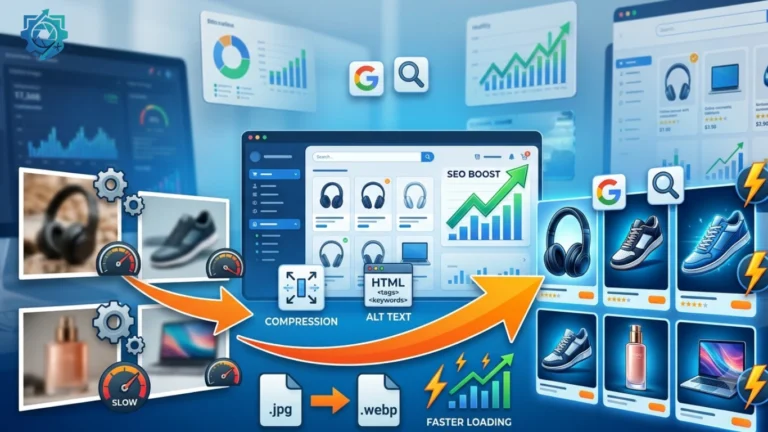
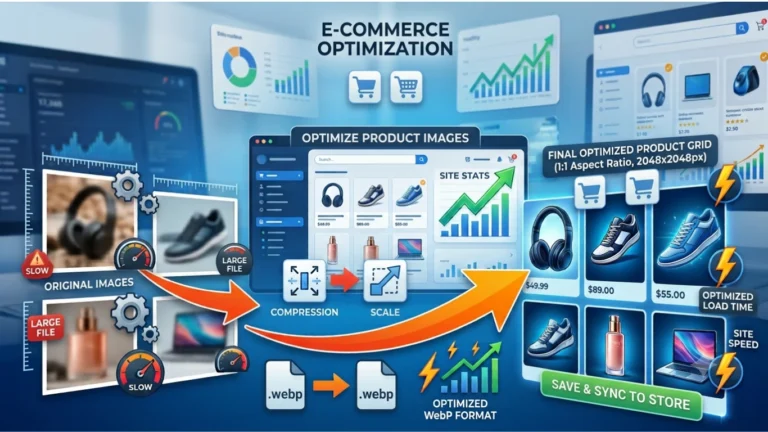
Develop a standard workflow for every product image: Resize → Compress → Convert to WebP → Rename → Add ALT Text → Upload. Following the same process for every product keeps your store fast, organized, and SEO-friendly.
Product Image Optimization Checklist
Use this checklist before publishing any product on your website.
- ✅ Resize images to the correct dimensions.
- ✅ Compress images before uploading.
- ✅ Convert images to WebP whenever possible.
- ✅ Keep file sizes small without sacrificing quality.
- ✅ Use descriptive filenames.
- ✅ Add meaningful ALT text.
- ✅ Maintain consistent image dimensions.
- ✅ Test images on desktop, tablet, and mobile devices.
- ✅ Optimize homepage banners and featured images.
- ✅ Monitor PageSpeed Insights after publishing.
Frequently Asked Questions
What is the best size for product images?
For most eCommerce websites, 1200 × 1200 pixels provides an excellent balance between image quality and website performance.
Which image format is best for product images?
WebP is the preferred format because it delivers excellent quality while significantly reducing file size compared to JPEG and PNG.
Why are product images important?
Product images help customers understand what they’re buying, build trust, improve user experience, and increase conversion rates.
Does image optimization improve SEO?
Yes. Optimized images improve page speed, Core Web Vitals, accessibility, and image search visibility, all of which contribute to better SEO performance.
Should I compress product images?
Absolutely. Compressing images reduces loading time without noticeably affecting image quality.
Can large images slow down my website?
Yes. Large images increase page size and loading time, negatively affecting user experience and search engine rankings.
How should I name product images?
Use descriptive filenames that include the product name, such as wireless-gaming-mouse.webp, instead of generic names like IMG001.jpg.
Is ALT text necessary?
Yes. ALT text improves accessibility and helps search engines understand the content of your images.
How often should I optimize product images?
Every product image should be optimized before uploading. It’s also a good practice to review older images periodically to maintain consistent quality.
Can optimized images increase sales?
Yes. High-quality, fast-loading images improve customer confidence, reduce bounce rates, and can lead to higher conversion rates.
Final Thoughts
Product images play a vital role in the success of any online store. High-quality visuals attract customers, build trust, improve search engine rankings, and encourage more purchases. However, large, unoptimized images can slow down your website and negatively impact the shopping experience.
By choosing the right image dimensions, compressing files, converting them to WebP, using descriptive filenames, and writing effective ALT text, you can create a faster, more professional website that performs well in both search engines and customer satisfaction.
Whether you run a WooCommerce store, Shopify shop, Amazon listing, Etsy store, or any other eCommerce business, optimizing your product images should always be part of your publishing workflow.
Optimize Your Product Images Online for Free
Resize, compress, and convert your product images in seconds using our free online Image Toolkit. Create faster-loading websites and improve your image SEO with easy-to-use optimization tools.
- ✔ Resize Product Images
- ✔ Compress Without Losing Quality
- ✔ Convert JPG, PNG & WebP
- ✔ Improve Website Speed
- ✔ Boost Product Image SEO
- ✔ Free, Fast & No Registration Required
Prepare professional product images that load faster, rank higher, and help convert more visitors into customers.