
Image CDN for WordPress: Speed Up Your Website with Powerful Image Delivery
Image CDN for WordPress
If your WordPress website loads slowly, large images are often one of the biggest reasons. High-resolution images improve visual quality, but they can also increase page loading time and negatively affect user experience. One of the most effective ways to solve this problem is by using an Image CDN for WordPress.
An image CDN delivers your website’s images from servers located around the world instead of relying solely on your hosting server. This reduces loading time, improves website performance, and helps visitors access images more quickly regardless of their location.
Whether you run a blog, business website, portfolio, or WooCommerce store, an image CDN can significantly improve page speed and Core Web Vitals while reducing the workload on your hosting server.
In this guide, you’ll learn what an image CDN for WordPress is, how it works, why WordPress websites benefit from it, how to set one up, and the best practices for achieving faster image delivery.
What Is an Image CDN?
An Image CDN (Content Delivery Network) is a network of servers distributed across different regions of the world that stores and delivers copies of your website’s images from the server closest to each visitor.
Normally, when someone visits your website, every image is downloaded directly from your hosting server. If the visitor is located far away from your hosting location, images may take longer to load.
With an image CDN for WordPress, copies of your images are cached on multiple global servers called edge servers. When someone opens your website, the CDN automatically serves images from the nearest server, resulting in faster loading speeds and a better browsing experience.
Your website is hosted in Singapore.
A visitor opens your website from Canada.
Without an Image CDN:
The image travels all the way from Singapore to Canada.
With an Image CDN:
The image is delivered from a nearby CDN server in Canada, making it load much faster.
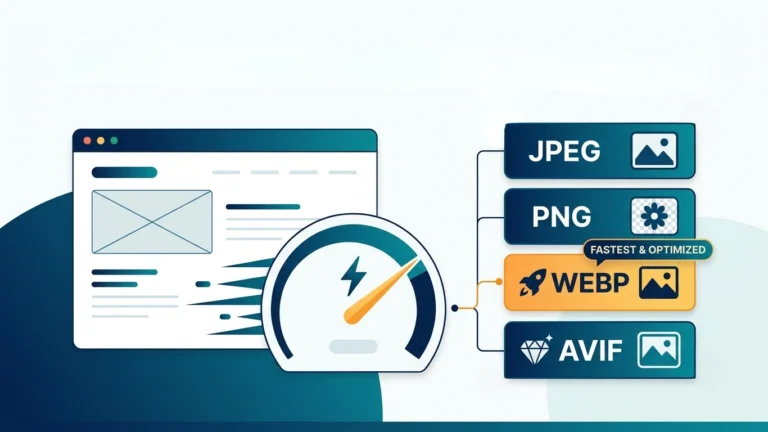
Besides improving loading speed, many image CDNs can automatically optimize images by compressing them, converting them to modern formats like WebP or AVIF, and serving the most suitable version based on the visitor’s device.
How Does an Image CDN Work?
An Image CDN works by creating copies of your website’s images and storing them on multiple servers located around the world. These servers, known as edge servers, deliver images from the location closest to your visitor instead of requesting every image from your main hosting server.
The process is automatic and usually happens in the following steps:
- A visitor opens your WordPress website.
- The webpage loads through your hosting server.
- The Image CDN detects the visitor’s location.
- The CDN delivers images from the nearest edge server.
- If an image isn’t already cached, the CDN retrieves it from your hosting server, stores a copy, and serves it to future visitors.
This intelligent delivery process reduces latency, speeds up image loading, and decreases the amount of bandwidth used by your hosting account.
Visitor → CDN Edge Server → Cached Image → Faster Loading
If the image is not cached:
Visitor → CDN → Your Hosting Server → CDN Cache → Visitor
Why WordPress Websites Need an Image CDN
Images are usually the largest files on a WordPress website. Blog posts, product pages, galleries, and landing pages often contain multiple high-resolution images that increase page size. As your website grows, these images can slow down loading times if they are served directly from your hosting server.
An Image CDN helps solve this problem by delivering images more efficiently and reducing the workload on your web server.
WordPress websites particularly benefit from an Image CDN because they often contain:
- Featured images for blog posts
- WooCommerce product photos
- Portfolio and gallery images
- Background banners
- Hero images on landing pages
- Author profile pictures
Without an Image CDN, every visitor downloads these files directly from your hosting server. During periods of high traffic, this can increase server load and slow down your website.
With an Image CDN, much of this image traffic is handled by the CDN’s global network, allowing your hosting server to focus on generating WordPress pages.
Benefits of Using an Image CDN for WordPress
- Faster Image Loading – Images are delivered from the nearest global server, reducing loading time.
- Better Core Web Vitals – Faster image delivery can improve metrics such as Largest Contentful Paint (LCP), helping create a smoother user experience.
- Lower Server Load – Since the CDN serves cached images, your hosting server processes fewer image requests.
- Reduced Bandwidth Usage – Delivering images through a CDN can lower bandwidth consumption on your hosting plan.
- Improved Global Performance – Visitors from different countries experience more consistent loading speeds.
- Automatic Image Optimization – Many Image CDNs can compress images and serve modern formats such as WebP or AVIF when supported by the visitor’s browser.
- Enhanced User Experience – Faster pages can reduce waiting time and make browsing more enjoyable.
- Scalability During Traffic Spikes – CDNs are designed to handle large numbers of image requests efficiently, making them useful during periods of increased traffic.
Best Image CDN Services for WordPress
There are many CDN providers available, but not all are designed specifically for image delivery. The following services are popular among WordPress users because they offer fast global networks, image optimization features, and easy integration.
1. Cloudflare
Cloudflare is one of the most popular CDN providers and offers a generous free plan. It caches static files, improves security, and speeds up websites worldwide. Paid plans also include advanced image optimization features such as image resizing and format conversion.
Best for: Blogs, business websites, portfolios, and small to medium-sized WordPress sites.
2. Bunny CDN
Bunny CDN is known for its excellent performance and affordable pricing. It provides fast image delivery, global edge locations, and optional image optimization services.
Best for: Website owners looking for a budget-friendly premium CDN.
3. QUIC.cloud CDN
QUIC.cloud is designed to work seamlessly with the LiteSpeed Cache plugin. It offers image optimization, image compression, WebP generation, and CDN delivery through an easy-to-use dashboard.
Best for: Websites hosted on LiteSpeed servers or using the LiteSpeed Cache plugin.
4. Amazon CloudFront
Amazon CloudFront is a powerful enterprise-grade CDN built on Amazon Web Services (AWS). It provides excellent scalability and reliability for websites with large amounts of traffic.
Best for: Large businesses, enterprise websites, and high-traffic applications.
5. ImageKit
ImageKit is an image-focused CDN that automatically resizes, compresses, and converts images into modern formats such as WebP and AVIF. It also supports real-time image transformations.
Best for: Websites with image-heavy content, eCommerce stores, and photography portfolios.
How to Set Up an Image CDN in WordPress
Most CDN providers have different dashboards, but the setup process is generally similar.
Step 1: Choose a CDN Provider
Select a CDN that fits your website’s size, budget, and performance requirements. Beginners often start with Cloudflare, while advanced users may choose Bunny CDN, QUIC.cloud, or ImageKit.
Step 2: Connect Your Website
Create an account with your chosen CDN provider and connect your domain. Some providers require changing your DNS settings, while others only require installing a WordPress plugin.
Step 3: Enable Image Optimization
If your CDN supports it, enable features such as:
- Automatic image compression
- WebP conversion
- AVIF conversion
- Responsive image resizing
- Lazy loading (if available)
Step 4: Clear the Cache
After making configuration changes, clear both your WordPress cache and CDN cache to ensure visitors receive the latest optimized images.
Step 5: Test Your Website
Open your website from different devices and test its performance using speed testing tools. Verify that images load correctly and that page speed has improved.
Image CDN vs Regular CDN
| Feature | Regular CDN | Image CDN |
|---|---|---|
| Delivers Images | ✔ | ✔ |
| Caches CSS & JavaScript | ✔ | Sometimes |
| Automatic Image Compression | Limited | ✔ |
| WebP / AVIF Conversion | Limited | ✔ |
| Real-Time Image Resizing | Usually No | ✔ |
| Responsive Image Delivery | Limited | ✔ |
Common Mistakes to Avoid When Using an Image CDN
Using an Image CDN can greatly improve your WordPress website’s performance, but incorrect configuration may prevent you from getting the best results. Avoid these common mistakes:
- Uploading oversized images. A CDN delivers images faster, but it cannot fully compensate for unnecessarily large image files. Resize images before uploading whenever possible.
- Ignoring image compression. Enable image compression to reduce file size while maintaining acceptable visual quality.
- Not using modern image formats. If supported, serve WebP or AVIF images to compatible browsers for better performance.
- Forgetting to clear the CDN cache. After updating or replacing images, purge the CDN cache so visitors receive the latest versions.
- Using multiple optimization plugins that perform the same task. Running several image optimization or caching plugins together can cause conflicts and unnecessary processing.
- Not testing website performance. Measure page speed before and after enabling an Image CDN to confirm that it improves your site’s performance.
Frequently Asked Questions (FAQs)
Does an Image CDN improve SEO?
Indirectly, yes. Faster-loading images can improve user experience and Core Web Vitals, both of which contribute to better website performance in search results.
Is an Image CDN different from a regular CDN?
Yes. A regular CDN delivers many types of static files, while an Image CDN focuses on delivering and optimizing images. Some CDN providers combine both capabilities into one service.
Do I need an Image CDN for a small WordPress website?
Even smaller websites can benefit from an Image CDN, especially if they contain many high-quality images or receive visitors from different countries.
Can I use Cloudflare as an Image CDN?
Yes. Cloudflare can cache and deliver images globally, and some of its plans include advanced image optimization features.
Will an Image CDN reduce my hosting bandwidth?
In many cases, yes. Since cached images are served from the CDN instead of your hosting server, bandwidth usage and server load may be reduced.
Can I use an Image CDN with LiteSpeed Cache?
Yes. LiteSpeed Cache works well with several CDN providers, and QUIC.cloud is designed specifically to integrate with LiteSpeed-powered WordPress websites.
Conclusion
An Image CDN for WordPress is one of the most effective ways to improve website speed, deliver images more efficiently, and create a better experience for visitors. By serving images from nearby edge servers, an Image CDN reduces loading times, lowers server load, and helps websites perform better for users around the world.
To get the best results, combine an Image CDN with properly resized images, image compression, browser caching, and page caching. Together, these optimizations can significantly improve your WordPress site’s performance and support faster page loading.
Improve Your Images Before They Reach Your CDN
For the best performance, optimize your images before uploading them to WordPress. Use ImageToolkitPro to:
- Resize large images
- Compress images without significant quality loss
- Crop images to the required dimensions
- Convert between JPG, PNG, and WebP formats
Optimized images combined with an Image CDN can help create a faster, more efficient website.
Key Takeaways
- An Image CDN delivers images from the server closest to each visitor.
- Faster image delivery can improve user experience and Core Web Vitals.
- Image CDNs can reduce hosting server load and bandwidth usage.
- Many providers support automatic compression, WebP, and AVIF conversion.
- For the best results, use an Image CDN alongside image optimization and caching.