
Best Image Format for Websites: The Complete Guide to Faster Loading and Better SEO
Best Image Format for Websites
Images are one of the most powerful elements of any website. They capture attention, improve user engagement, explain complex ideas visually, and make content more appealing. However, using the wrong image format can significantly slow down your website, increase bandwidth usage, hurt your SEO rankings, and create a poor user experience.
Whether you own a personal blog, WordPress website, business website, portfolio, or eCommerce store, choosing the best image format for websites is essential for delivering fast-loading pages and high-quality visuals.
Today, website owners have several image formats to choose from, including JPEG (JPG), PNG, WebP, AVIF, SVG, and GIF. Each format is designed for different purposes, and selecting the wrong one can negatively impact your website’s performance.
In this complete guide, you’ll learn the advantages, disadvantages, and ideal use cases for every popular image format. By the end of this article, you’ll know exactly which format to use for blog posts, product images, logos, graphics, transparent images, and modern websites.
Quick Answer: What Is the Best Image Format for Websites?
If you’re looking for a short answer, WebP is currently the best image format for most websites. It delivers excellent image quality while producing significantly smaller file sizes than traditional JPEG and PNG images. Smaller images load faster, improve user experience, and contribute to better search engine rankings.
🏆 Best Image Formats by Use Case
| Use Case | Recommended Format |
|---|---|
| Blog Images | WebP |
| Website Photographs | WebP or JPEG |
| Company Logos | SVG |
| Transparent Graphics | PNG or WebP |
| Product Images | WebP |
| Icons | SVG |
| Animations | WebP or GIF |
Although WebP is the recommended format for most situations, other formats like PNG, SVG, JPEG, and AVIF still have important roles depending on the type of image you are using.
Table of Contents
Why Choosing the Right Image Format Matters
Images often make up more than half of a webpage’s total size. If those images are not optimized properly, your pages take longer to load, visitors become frustrated, and search engines may rank your content lower than faster competitors.
Google considers website speed an important ranking factor because users expect web pages to load quickly. Large image files increase loading time, especially on mobile devices and slower internet connections.
Selecting the correct image format allows you to reduce file size without sacrificing visual quality. This improves website performance while creating a better experience for visitors.
Benefits of Using the Right Image Format
Using the appropriate image format offers advantages that go far beyond appearance. It improves technical performance, search visibility, and visitor satisfaction.
Key Benefits
- Faster website loading speed.
- Better Core Web Vitals scores.
- Improved Google rankings.
- Reduced hosting storage requirements.
- Lower bandwidth consumption.
- Improved mobile browsing experience.
- Higher user engagement.
- Better conversion rates.
- Greater visibility in Google Images.
- Improved accessibility when combined with descriptive alt text.
For websites that publish dozens or even hundreds of images, selecting the correct format can significantly reduce overall page weight while maintaining excellent visual quality.
Overview of Popular Image Formats
Every image format has been developed for a specific purpose. Some focus on maximum image quality, while others prioritize smaller file sizes, transparency, or scalability.
| Image Format | Best Used For | Compression Type |
|---|---|---|
| JPEG (JPG) | Photographs | Lossy |
| PNG | Transparent Graphics | Lossless |
| WebP | Most Websites | Lossy & Lossless |
| AVIF | Modern High-Performance Websites | Advanced Compression |
| SVG | Logos, Icons & Illustrations | Vector Graphics |
| GIF | Simple Animations | Limited Compression |
In the following sections, we’ll examine each image format individually, compare their strengths and weaknesses, and help you decide which one is best for your specific website.
JPEG (JPG)
JPEG (Joint Photographic Experts Group), commonly known as JPG, is one of the oldest and most widely used image formats on the web. It uses lossy compression, which reduces file size by removing unnecessary image data while maintaining good visual quality.
Because of its excellent compatibility and relatively small file sizes, JPEG remains a popular choice for photographs and blog images. However, newer formats like WebP often provide better compression while preserving similar image quality.
Advantages of JPEG
- Small file sizes.
- Excellent browser compatibility.
- Supports millions of colors.
- Perfect for photographs.
- Loads quickly on most websites.
- Easy to edit using almost every image editor.
Disadvantages of JPEG
- Does not support transparent backgrounds.
- Image quality decreases after repeated editing and saving.
- Not suitable for logos or graphics containing text.
SEO Recommendation
Use JPEG when compatibility is your highest priority or when WebP is unavailable. Always compress JPEG images before uploading them to reduce file size.
PNG (Portable Network Graphics)
PNG is a lossless image format that preserves every pixel of the original image. Unlike JPEG, PNG does not reduce image quality during compression, making it ideal for graphics that require sharp edges and transparent backgrounds.
Although PNG produces larger files than JPEG or WebP, it remains the preferred choice for logos, icons, screenshots, charts, and illustrations.
Advantages of PNG
- Lossless compression.
- Excellent image quality.
- Supports transparent backgrounds.
- Perfect for graphics and illustrations.
- No quality loss during editing.
Disadvantages of PNG
- Larger file sizes than WebP or JPEG.
- Can slow down webpages if overused.
- Not the best option for large photo galleries.
SEO Recommendation
Use PNG only when transparency or pixel-perfect quality is required. For regular photographs, WebP is usually a better choice because it offers much smaller file sizes.
WebP
WebP is a modern image format developed by Google to improve website performance. It supports both lossy and lossless compression while producing significantly smaller files than JPEG and PNG.
Because WebP reduces page size without noticeably affecting image quality, it has become the preferred image format for modern websites and is widely recommended for improving SEO and Core Web Vitals.
Advantages of WebP
- 25–50% smaller than JPEG in many cases.
- Much smaller than PNG while maintaining excellent quality.
- Supports transparency.
- Supports animation.
- Improves website loading speed.
- Enhances Core Web Vitals.
- Widely supported by modern browsers.
Disadvantages of WebP
- Some older software may not fully support WebP.
- Very old browsers may have limited compatibility.
Why WebP Is Great for SEO
Search engines reward websites that load quickly. Since WebP images are significantly smaller than JPEG and PNG files, they reduce page weight, improve loading speed, and help websites achieve better Core Web Vitals scores.
Smaller images also reduce bandwidth usage, making your website faster for users on mobile networks.
JPEG vs PNG vs WebP
The following comparison summarizes the strengths of the three most commonly used image formats.
| Feature | JPEG | PNG | WebP |
|---|---|---|---|
| Image Quality | ★★★★☆ | ★★★★★ | ★★★★★ |
| File Size | ★★★★☆ | ★★☆☆☆ | ★★★★★ |
| Transparency | ❌ | ✅ | ✅ |
| Animation | ❌ | ❌ | ✅ |
| Browser Support | ★★★★★ | ★★★★★ | ★★★★★ |
| SEO Performance | ★★★★☆ | ★★★☆☆ | ★★★★★ |
| Best Use | Photographs | Graphics & Logos | Most Websites |
🏆 Winner
For most modern websites, WebP is the best overall image format because it combines excellent image quality, smaller file sizes, transparency support, and faster loading speeds. However, SVG remains the best choice for logos, while PNG is still valuable for graphics that require transparency.
AVIF (AV1 Image File Format)
AVIF is one of the newest image formats designed for the modern web. Built on the AV1 video codec, it offers outstanding image compression while maintaining exceptional visual quality. In many situations, AVIF files are even smaller than WebP images, making them an excellent option for websites focused on maximum performance.
Although AVIF provides impressive results, browser and software support is still improving. Most modern browsers support AVIF, but some older applications may not.
Advantages of AVIF
- Excellent image quality.
- Extremely small file sizes.
- Supports transparency.
- Supports HDR images.
- Excellent compression efficiency.
- Improves website performance.
Disadvantages of AVIF
- Limited support in older browsers.
- Some image editing software cannot open AVIF files.
- Slightly slower image encoding.
SVG (Scalable Vector Graphics)
Unlike JPEG, PNG, WebP, and AVIF, SVG is a vector image format. Instead of storing pixels, SVG uses mathematical paths to draw graphics. This allows images to be enlarged infinitely without losing quality.
SVG files are usually very small, making them the preferred choice for logos, icons, illustrations, charts, and user interface graphics.
Advantages of SVG
- Infinite scalability.
- Extremely small file size.
- Perfect for responsive websites.
- Supports transparency.
- Loads very quickly.
Disadvantages of SVG
- Not suitable for photographs.
- Requires secure uploading in WordPress.
- Can contain scripts if obtained from untrusted sources.
GIF (Graphics Interchange Format)
GIF is widely known for supporting simple animations. Although it was once the standard for animated graphics, modern formats like WebP and video formats such as MP4 generally offer better quality with significantly smaller file sizes.
Advantages of GIF
- Supports animation.
- Works in virtually every browser.
- Easy to share.
Disadvantages of GIF
- Large file sizes.
- Limited color depth.
- Poor image quality compared to modern formats.
Complete Image Format Comparison
| Format | Image Quality | File Size | Transparency | Animation | Best Use Case |
|---|---|---|---|---|---|
| JPEG | ★★★★★ | ★★★★☆ | ❌ | ❌ | Photographs |
| PNG | ★★★★★ | ★★☆☆☆ | ✅ | ❌ | Graphics & Screenshots |
| WebP | ★★★★★ | ★★★★★ | ✅ | ✅ | Most Websites |
| AVIF | ★★★★★ | ★★★★★ | ✅ | Limited | High-Performance Websites |
| SVG | Infinite | ★★★★★ | ✅ | Limited | Logos & Icons |
| GIF | ★★☆☆☆ | ★☆☆☆☆ | Basic | ✅ | Simple Animations |
Best Image Format for SEO
If your primary goal is improving search engine rankings and page speed, WebP is the best image format for websites in most situations. Smaller image files help pages load faster, which improves user experience and supports better Core Web Vitals.
Google recommends optimizing images to reduce page weight. Faster websites generally experience lower bounce rates, higher engagement, and better overall SEO performance.
SEO Recommendations
- ✔ Use WebP for blog posts and featured images.
- ✔ Use SVG for logos and icons.
- ✔ Use PNG only when transparency is required.
- ✔ Compress every image before uploading.
- ✔ Add descriptive filenames and alt text.
- ✔ Enable lazy loading.
- ✔ Resize images before uploading.
Best Image Format for WordPress
WordPress automatically generates multiple image sizes, making it easy to serve responsive images. However, choosing the correct image format remains essential for maintaining fast-loading pages.
For most WordPress websites, the recommended workflow is:
- Convert photographs to WebP.
- Use SVG for logos and icons.
- Use PNG only for transparent graphics.
- Resize large images before uploading.
- Compress every image.
- Use descriptive filenames.
- Add meaningful alt text.
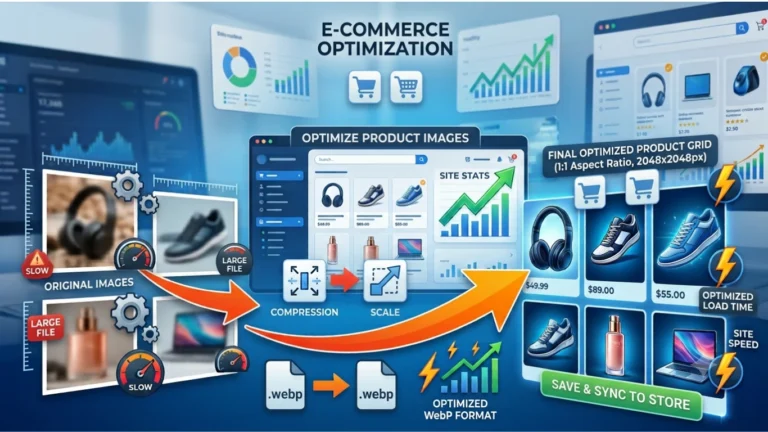
Best Image Format for eCommerce Websites
Online stores often contain hundreds or thousands of product images. Using the correct image format helps improve page speed while maintaining professional-quality product photos.
Recommended Formats
- Product Photos: WebP
- Brand Logos: SVG
- Transparent Product Graphics: PNG or WebP
- Promotional Banners: WebP
Optimized product images improve shopping experiences, reduce page load times, and can increase conversion rates.
Common Image Optimization Mistakes to Avoid
Even if you choose the best image format for websites, poor optimization practices can still slow down your website and negatively impact SEO. Avoiding these common mistakes will help your images load faster while maintaining excellent quality.
1. Uploading Original Camera Images
Modern smartphones and DSLR cameras often produce images that are 4,000–8,000 pixels wide and several megabytes in size. Uploading these images directly to your website wastes bandwidth and increases loading times.
2. Skipping Image Compression
Compression reduces file size without noticeably affecting image quality. Compressed images load faster, improve Core Web Vitals, and provide a better browsing experience.
3. Using PNG for Every Image
PNG is excellent for logos and transparent graphics, but it usually creates much larger files than WebP or JPEG. For photographs, WebP is generally the better option.
4. Ignoring Alt Text
Alternative text (alt text) helps search engines understand images and improves accessibility for users who rely on screen readers.
5. Using Generic File Names
A filename like IMG_4567.jpg provides no useful information. Rename files using descriptive keywords before uploading.
Example:
- ❌ IMG_4567.jpg
- ✅ best-image-format-for-websites.webp
6. Forgetting Lazy Loading
Lazy loading delays off-screen images until visitors scroll to them. This reduces initial page weight and helps pages load faster.
7. Never Testing Website Speed
After optimizing your images, test your website with Google PageSpeed Insights to identify additional opportunities for improvement.
Frequently Asked Questions (FAQs)
What is the best image format for websites?
WebP is the best image format for most websites because it provides excellent image quality with significantly smaller file sizes than JPEG and PNG.
Is WebP better than JPEG?
Yes. In most cases, WebP delivers similar or better image quality while reducing file size by 25–50%, making it a better choice for SEO and website performance.
When should I use PNG?
Use PNG for logos, icons, screenshots, and images that require transparent backgrounds. For photographs, WebP or JPEG is usually a better option.
Is AVIF better than WebP?
AVIF often provides even better compression than WebP. However, WebP currently has broader compatibility and is easier to use across most websites and content management systems.
Does image format affect SEO?
Yes. Smaller, optimized images help improve page speed, Core Web Vitals, and user experience, all of which contribute to stronger SEO performance.
Can I convert existing images to WebP?
Absolutely. Converting existing JPEG or PNG images to WebP is one of the easiest ways to improve website speed without sacrificing noticeable image quality.
Should I use SVG for logos?
Yes. SVG is the preferred format for logos and icons because it scales perfectly to any screen size without losing quality.
Which image format loads the fastest?
For most websites, WebP and AVIF provide the best balance between image quality and loading speed due to their advanced compression techniques.
Conclusion
Choosing the best image format for websites is one of the simplest ways to improve website speed, user experience, and search engine rankings. While no single format is ideal for every situation, understanding the strengths of each format allows you to make the right choice for every image.
For most websites, WebP is the recommended format because it combines excellent visual quality with smaller file sizes. JPEG remains a reliable choice for photographs when compatibility is important, PNG excels with transparent graphics, SVG is perfect for logos and icons, and AVIF is an exciting option for modern, performance-focused websites.
Remember that image optimization goes beyond choosing the correct format. Compress your images, resize them appropriately, use descriptive filenames, write meaningful alt text, and regularly monitor your site’s performance to achieve the best results.
✅ Image SEO Checklist
- ✔ Choose the correct image format.
- ✔ Convert photographs to WebP whenever possible.
- ✔ Use SVG for logos and icons.
- ✔ Compress images before uploading.
- ✔ Resize images to the required dimensions.
- ✔ Add descriptive filenames.
- ✔ Write keyword-rich but natural alt text.
- ✔ Enable lazy loading.
- ✔ Test your website using Google PageSpeed Insights.
- ✔ Review older images regularly and replace them with optimized versions.
Final Thoughts
Image optimization is not a one-time task—it should be part of your regular content publishing workflow. By selecting the appropriate image format and following SEO best practices, you can build a faster, more efficient website that delivers an excellent experience for both users and search engines.
If you’re serious about improving your website’s performance, start by optimizing every image you upload. Small improvements in image optimization can lead to noticeable gains in page speed, user engagement, and search visibility over time.