
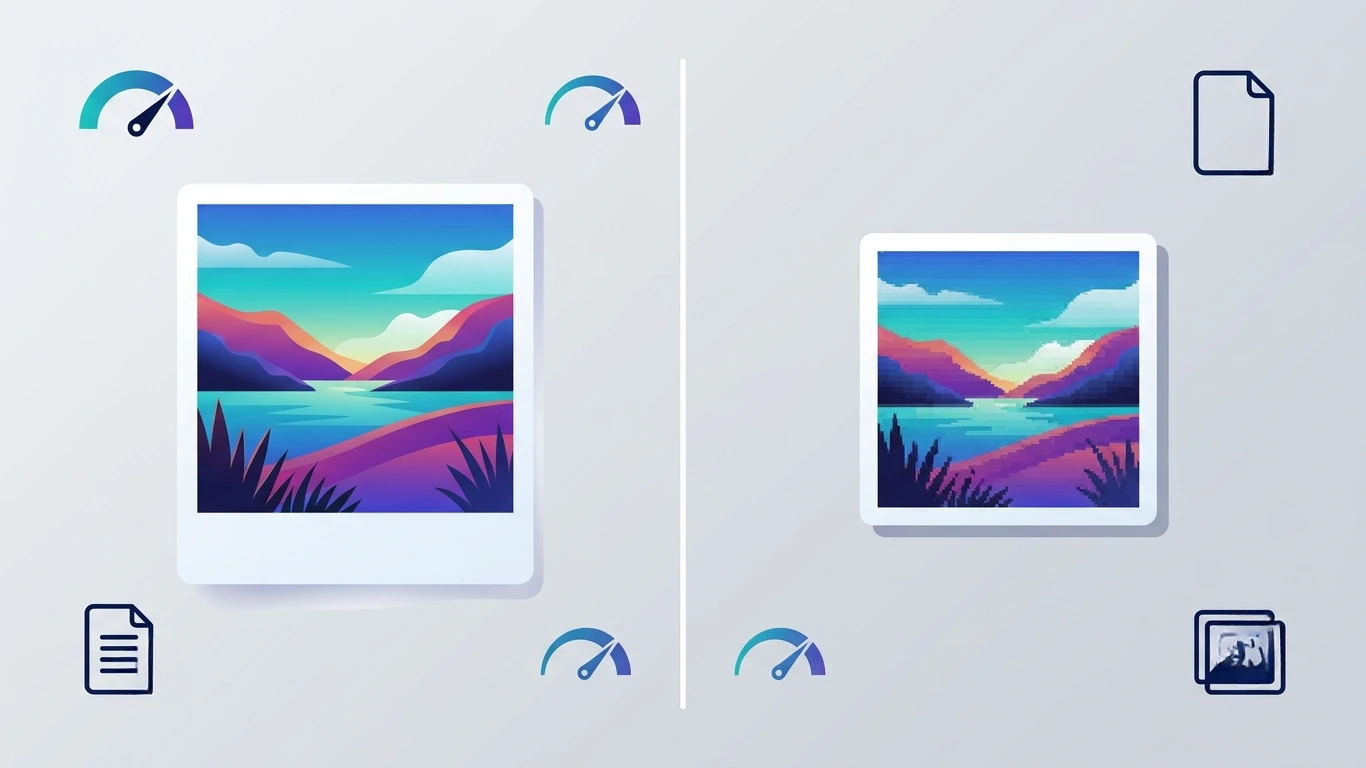
JPG vs PNG Quality: Which Image Format Is Better for Quality, Websites, and Photography?
JPG vs PNG Quality
JPG vs PNG quality is one of the most common comparisons people make when choosing an image format. While both formats are widely supported across websites, mobile devices, design software, and social media platforms, they are built for different purposes. Choosing the wrong format can reduce image quality, increase loading time, or create compatibility issues.
In this comprehensive guide, you’ll learn how JPG and PNG differ in image quality, compression, transparency, editing, web performance, and professional use. Whether you’re a photographer, graphic designer, blogger, developer, or website owner, this comparison will help you select the right format for every situation.
Table of Contents
- What Is JPG?
- What Is PNG?
- JPG vs PNG Quality Overview
- How Compression Affects Image Quality
- Which Format Has Better Image Quality?
- When Should You Use JPG?
- When Should You Use PNG?
- Complete JPG vs PNG Comparison Table
- Frequently Asked Questions
- Final Verdict
What Is JPG?
JPG, also written as JPEG (Joint Photographic Experts Group), is one of the world’s most widely used image formats. It was designed primarily for storing digital photographs while keeping file sizes relatively small.
JPG achieves this by using lossy compression, which permanently removes some image data during compression. The amount of data removed depends on the selected quality level. Higher quality settings preserve more details but produce larger files, while lower quality settings significantly reduce file size at the expense of visible image quality.
Because of its efficient compression, JPG has become the standard image format for:
- Digital photography
- Website images
- Blog featured images
- Social media uploads
- Email attachments
- Online marketplaces
- News websites
Most modern cameras and smartphones save photos in JPG by default because it offers an excellent balance between image quality and storage space.
What Is PNG?
PNG (Portable Network Graphics) is a raster image format created to provide higher image fidelity without losing visual information. Unlike JPG, PNG uses lossless compression, meaning the original image data remains intact even after saving the file multiple times.
Since no pixels are discarded during compression, PNG preserves sharp edges, crisp text, logos, interface elements, diagrams, and screenshots with exceptional clarity.
Another major advantage of PNG is its support for transparent backgrounds. This feature makes PNG the preferred choice for web graphics, branding materials, icons, product cutouts, and graphic design projects.
PNG is commonly used for:
- Company logos
- Website icons
- User interface elements
- Screenshots
- Charts and graphs
- Illustrations
- Graphics with transparent backgrounds
- Product images requiring transparency
JPG vs PNG Quality Overview
When comparing JPG vs PNG quality, the biggest difference lies in how each format stores image data.
JPG sacrifices some image information to create much smaller files, making it ideal for photographs and websites where fast loading speeds are important. PNG, on the other hand, preserves every pixel, resulting in larger files but noticeably sharper graphics and text.
This distinction means neither format is universally better. The right choice depends entirely on the type of image you’re working with.
| Feature | 🖼️ JPG | ✨ PNG |
|---|---|---|
| Compression | Lossy | Lossless |
| Image Quality | Very Good | Excellent |
| Transparency | Not Supported | Supported |
| File Size | Smaller | Larger |
| Best For | Photographs | Graphics & Logos |
| Repeated Editing | Quality Decreases | No Quality Loss |
Understanding these differences is essential before selecting the right image format for websites, printing, social media, or professional design work.
How Compression Affects Image Quality
The primary reason JPG and PNG produce different image quality is their compression method.
JPG Uses Lossy Compression
Every time a JPG image is compressed, some image information is permanently removed. This reduction helps decrease file size dramatically, but repeated editing and saving can gradually introduce artifacts, blurriness, and color degradation.
At high-quality settings (90–100%), these losses are often difficult to notice. However, aggressive compression levels can create:
- Pixelation
- Blurred edges
- Color banding
- Compression artifacts
- Reduced fine details
PNG Uses Lossless Compression
PNG compresses image data without discarding any information. Whether you save the image once or one hundred times, the visual quality remains unchanged.
This makes PNG particularly valuable for graphics containing:
- Small text
- Fine lines
- Icons
- Technical drawings
- Logos
- User interface elements
Although PNG files are larger than JPG files, they maintain pixel-perfect quality throughout editing and publishing workflows.
Which Format Has Better Image Quality?
The answer depends on what you mean by image quality. If you’re referring to preserving every pixel exactly as it was created, PNG provides better image quality because it uses lossless compression. No image data is removed, so graphics remain sharp even after repeated editing and saving.
However, if you’re working with photographs, the difference between a high-quality JPG (90–100% quality) and a PNG is often difficult for the human eye to notice. In these situations, JPG delivers excellent visual quality while producing files that are much smaller.
In simple terms:
- PNG wins for maximum quality and pixel-perfect graphics.
- JPG wins for photographs where smaller file size is more important.
JPG vs PNG Quality for Photography
Digital cameras and smartphones typically save images as JPG because photographs contain millions of colors and subtle gradients. JPG compression is specifically designed for this type of content.
Saving every photo as PNG usually offers little visible improvement while increasing storage requirements several times.
| Photography Feature | 📷 JPG | 🖼️ PNG |
|---|---|---|
| Natural Colors | Excellent | Excellent |
| Portrait Photography | Excellent | Very Good |
| Landscape Images | Excellent | Excellent |
| Storage Efficiency | Excellent | Poor |
| Camera Support | Universal | Limited |
Winner for Photography: JPG
JPG vs PNG Quality for Websites
Website performance depends heavily on image optimization. Large image files increase loading times, which can negatively affect user experience, Core Web Vitals, and SEO.
Since JPG files are significantly smaller than PNG files, they usually load faster and consume less bandwidth.
However, PNG remains the better choice for website elements that require crisp edges or transparent backgrounds, such as:
- Company logos
- Navigation icons
- Illustrations
- Buttons
- Infographics
| Website Image Type | Recommended Format |
|---|---|
| Hero Images | JPG |
| Blog Photos | JPG |
| Product Photos | JPG |
| Website Logo | PNG |
| Icons | PNG |
| Transparent Graphics | PNG |
Best Practice: Use JPG for photographs and PNG only where transparency or perfect sharpness is required.
JPG vs PNG for Printing
For professional printing, the source image quality matters more than the file extension itself.
If the original photo was captured in high resolution, a high-quality JPG is usually sufficient for brochures, magazines, posters, and marketing materials.
PNG is better suited for:
- Logos
- Business cards
- Illustrations
- Charts
- Technical drawings
Many professional designers actually work with TIFF, PSD, or RAW files during editing before exporting to JPG or PNG for final use.
JPG vs PNG for Editing
If you plan to edit an image multiple times, PNG has a significant advantage.
Each time you save a JPG after editing, additional compression occurs. Over time, this can reduce image clarity and introduce visible artifacts.
PNG does not suffer from this issue because it preserves all image data.
| Editing Feature | JPG | PNG |
|---|---|---|
| Repeated Saving | Quality Loss | No Quality Loss |
| Graphic Design | Fair | Excellent |
| Photo Editing | Good | Excellent |
| Logo Editing | Poor | Excellent |
Winner: PNG
JPG vs PNG for Social Media
Most social media platforms automatically compress uploaded images regardless of their original format.
For photographs uploaded to platforms such as Facebook, Instagram, LinkedIn, or X (formerly Twitter), JPG is generally the preferred format because it reduces upload time while maintaining excellent quality.
PNG is recommended when uploading:
- Logos
- Screenshots
- Infographics
- Text-based graphics
- Memes with sharp lettering
Does PNG Always Look Better Than JPG?
No.
This is one of the biggest misconceptions about image formats.
Although PNG preserves all image data, that does not automatically make every image appear better.
For example, a high-quality DSLR photograph saved as JPG at 95% quality may look almost identical to its PNG version while being only one-third of the file size.
The visible difference becomes noticeable mainly in:
- Logos
- Icons
- Screenshots
- Text
- Line art
- Illustrations
For everyday photographs, most users cannot distinguish between a high-quality JPG and a PNG without zooming in significantly.
JPG vs PNG: Pros and Cons
Advantages of JPG
- Smaller file size
- Faster website loading
- Ideal for photographs
- Universally supported
- Better for SEO and page speed
- Consumes less storage
Disadvantages of JPG
- Lossy compression
- No transparency support
- Quality decreases after editing
- Compression artifacts may appear
Advantages of PNG
- Lossless compression
- Pixel-perfect quality
- Supports transparency
- Excellent for logos and graphics
- No quality loss after editing
- Sharp text and edges
Disadvantages of PNG
- Larger file size
- Slower loading on websites
- Uses more storage
- Not ideal for large photo galleries
Complete JPG vs PNG Comparison
| Feature | JPG | PNG |
|---|---|---|
| Compression | Lossy | Lossless |
| Overall Image Quality | Excellent | Excellent |
| Maximum Quality | Very High | Perfect |
| Transparency | ❌ | ✅ |
| Photographs | ⭐⭐⭐⭐⭐ | ⭐⭐⭐ |
| Logos | ⭐⭐ | ⭐⭐⭐⭐⭐ |
| Screenshots | ⭐⭐ | ⭐⭐⭐⭐⭐ |
| Editing | Limited | Excellent |
| Website Speed | Excellent | Good |
| SEO Performance | Better for Photos | Better for Graphics |
| File Size | Small | Large |
| Best Overall Use | Photography | Graphics & Design |
Does Image Format Affect SEO?
Yes, but not directly.
Google does not rank a webpage higher simply because it uses JPG or PNG. Instead, image formats influence factors that impact SEO, such as page speed, and Core Web Vitals.
For example, a large PNG photo can significantly slow down a webpage compared to a properly optimized JPG. Since page speed is a ranking signal, unnecessarily large image files may reduce your SEO performance.
To maximize search engine visibility, choose the format that provides the best balance between quality and file size.
SEO Best Practices for Images
- Use JPG for photographs and featured images.
- Use PNG for logos, icons, and transparent graphics.
- Compress images before uploading.
- Resize images to the exact display dimensions.
- Use descriptive filenames.
- Add keyword-rich but natural alt text.
- Enable lazy loading where appropriate.
- Serve images through a CDN if possible.
- Consider using WebP when browser compatibility allows.
JPG vs PNG File Size Comparison
File size is often the deciding factor when choosing between JPG and PNG.
Because JPG uses lossy compression, its files are usually much smaller than PNG files while maintaining high visual quality.
| Image Type | Typical JPG Size | Typical PNG Size |
|---|---|---|
| 1920×1080 Photograph | 250–600 KB | 2–6 MB |
| Website Banner | 150–400 KB | 1–4 MB |
| Logo | 40–100 KB | 80–250 KB |
| Screenshot | 300 KB | 700 KB–2 MB |
Note: File sizes vary depending on image complexity, dimensions, and compression settings.
When Should You Use JPG?
Choose JPG whenever your priority is achieving excellent image quality while keeping file sizes as small as possible.
JPG is ideal for:
- Digital photography
- Travel photos
- Blog featured images
- Product photographs
- Real estate listings
- Food photography
- News articles
- E-commerce galleries
- Social media photos
- Email attachments
When Should You Use PNG?
PNG is the better choice whenever preserving every pixel is more important than reducing file size.
Use PNG for:
- Company logos
- Transparent backgrounds
- Website icons
- User interface graphics
- Screenshots
- Infographics
- Charts
- Technical diagrams
- Digital illustrations
- Images containing text
Common Myths About JPG vs PNG Quality
Myth 1: PNG Always Looks Better
Reality: PNG preserves more image data, but most photographs appear nearly identical when saved as high-quality JPGs.
Myth 2: JPG Is Low Quality
Reality: High-quality JPG images can look virtually identical to the original photo while using only a fraction of the storage space.
Myth 3: PNG Improves Every Image
Reality: Converting a JPG photo to PNG does not restore details that were already lost during JPG compression.
Myth 4: PNG Is Better for SEO
Reality: Search engines favor fast-loading pages. In many cases, optimized JPG images contribute more to SEO because of their smaller file sizes.
Can You Convert JPG to PNG Without Losing Quality?
Yes, you can convert a JPG file to PNG without introducing additional quality loss during the conversion process. However, the conversion cannot recover details that were already removed when the image was originally saved as JPG.
In other words:
- JPG → PNG preserves the current appearance of the image.
- It does not restore lost pixels.
- The new PNG file will usually be much larger.
If you need to continue editing an image after conversion, PNG is a better working format because future edits will not introduce additional compression artifacts.
Can You Convert PNG to JPG?
Yes. Converting PNG to JPG is common when reducing file size for websites, blogs, and online stores.
However, be aware that:
- Transparency will be removed.
- Some image data will be discarded during JPG compression.
- Text and sharp edges may become slightly softer.
For photographs, this quality reduction is often minimal and difficult to notice.
Image Quality Tips for Website Owners
Whether you use JPG or PNG, following image optimization best practices can improve website performance and user experience.
- Resize images before uploading.
- Compress images without excessive quality loss.
- Avoid uploading images directly from modern smartphones.
- Use descriptive filenames (for example,
jpg-vs-png-quality-comparison.jpg). - Write meaningful alt text for accessibility and SEO.
- Choose dimensions that match your website layout.
- Enable browser caching and lazy loading.
- Use responsive images with
srcsetwhere possible.
Frequently Asked Questions
Is PNG higher quality than JPG?
Yes. PNG uses lossless compression, so it preserves every pixel of the original image. JPG uses lossy compression, which removes some image data to reduce file size.
Why is PNG larger than JPG?
PNG retains all image information instead of discarding data during compression, resulting in larger file sizes.
Which format loads faster?
JPG generally loads faster because its files are much smaller than equivalent PNG images.
Which format is better for logos?
PNG is the preferred format because it supports transparency and maintains crisp edges.
Which format is better for photography?
JPG is the industry standard for photographs due to its excellent balance of quality and storage efficiency.
Can I use PNG for website photos?
Yes, but it is usually unnecessary. PNG files are much larger than JPG files and may slow down your website without providing a noticeable improvement in photo quality.
Final Verdict: JPG vs PNG Quality
There isn’t a single winner in the JPG vs PNG quality debate because each format is designed for different purposes.
If your priority is preserving every pixel, maintaining sharp edges, or using transparent backgrounds, PNG is the better choice. Its lossless compression keeps image quality intact, making it ideal for logos, screenshots, illustrations, icons, and graphics that require maximum clarity.
On the other hand, if you’re working with digital photographs or website images where loading speed and storage space matter, JPG is the smarter option. Modern JPG compression delivers excellent visual quality while significantly reducing file size, helping improve website performance and user experience.
For most websites, the best strategy is to use both formats together:
- Use JPG for photographs, blog images, featured images, and product photos.
- Use PNG for logos, icons, screenshots, illustrations, and transparent graphics.
Choosing the appropriate format ensures your images look professional while keeping your website fast, SEO-friendly, and optimized for visitors.
Quick Decision Guide
| If You Need… | Choose | Reason |
|---|---|---|
| Highest possible quality | PNG | Lossless compression preserves every pixel. |
| Small file size | JPG | Excellent compression for photographs. |
| Transparent background | PNG | Supports alpha transparency. |
| Photography | JPG | Industry-standard image format. |
| Website logo | PNG | Maintains crisp edges and transparency. |
| Social media photos | JPG | Smaller uploads with excellent quality. |
| Screenshots | PNG | Keeps text and UI elements sharp. |
| Fast-loading webpages | JPG | Lower bandwidth usage and faster loading. |
Best Practices for Image Quality
- Choose the image format based on the content, not habit.
- Compress images before uploading them to your website.
- Resize images to the dimensions actually displayed.
- Avoid repeatedly editing and saving JPG images.
- Use PNG when transparency is required.
- Use descriptive filenames that include relevant keywords.
- Write meaningful alt text for accessibility and SEO.
- Enable lazy loading to improve Core Web Vitals.
- Use responsive images (
srcset) for different screen sizes. - Consider converting suitable images to WebP for even better web performance.
Related Image Optimization Guides
If you’re interested in improving image quality, website speed, and SEO, you may also find these guides helpful:
- eCommerce Image Optimization Guide
- How WordPress Image Sizes Work
- How to Resize an Image Without Losing Quality
- Best Image Cropper
Frequently Asked Questions (Quick Answers)
Which format has better image quality, JPG or PNG?
PNG offers the highest image quality because it uses lossless compression. JPG sacrifices some image data to reduce file size.
Should I convert JPG to PNG for better quality?
No. Converting a JPG to PNG cannot restore image details that were already lost during JPG compression.
Is PNG better for SEO?
Not necessarily. SEO depends more on image optimization and page speed than on the image format itself. For photographs, JPG is usually the better SEO choice because of its smaller file size.
Why do photographers use JPG?
JPG provides an excellent balance between visual quality and storage efficiency, making it the standard format for digital photography.
Why are PNG files larger?
PNG uses lossless compression, which preserves all image data instead of removing information like JPG.
Which format should I use for my website?
Use JPG for photographs and PNG for logos, icons, screenshots, and images requiring transparent backgrounds.
Recommended Image Alt Text
| Image | SEO Alt Text |
|---|---|
| JPG example photo | High-quality JPG photograph with compressed file size. |
| PNG transparent logo | PNG logo with transparent background and sharp edges. |
| Comparison chart | JPG vs PNG quality comparison table showing differences. |
| Compression illustration | Lossy JPG compression compared with lossless PNG compression. |
| Website optimization graphic | Choosing JPG or PNG for website image optimization. |
Key Takeaways
- PNG provides the highest image quality through lossless compression.
- JPG offers much smaller file sizes while maintaining excellent photo quality.
- Use JPG for photographs and PNG for graphics.
- Image optimization improves page speed, user experience, and SEO.
- Converting JPG to PNG does not recover lost image quality.
- The best image format depends on your specific use case rather than one format being universally better.



One Comment