
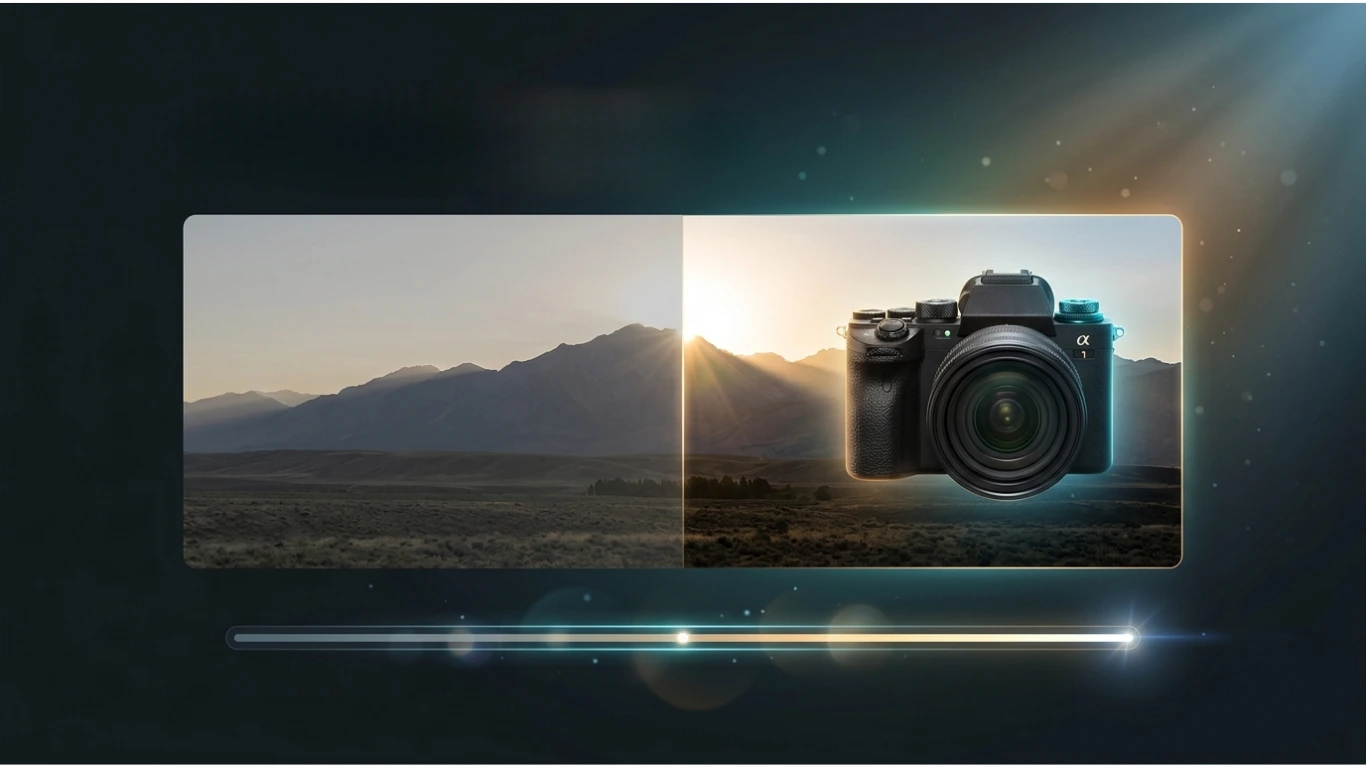
What Is HDR? Meaning, How HDR Works, Benefits & Complete Guide (2026)
What Is HDR? Meaning, How HDR Works?
If you’ve ever purchased a TV, monitor, smartphone, or camera, you’ve probably seen the term HDR. But what is HDR, and why is it considered one of the biggest improvements in digital imaging?
HDR (High Dynamic Range) is a technology that produces brighter highlights, deeper blacks, richer colours, and more realistic images than traditional Standard Dynamic Range (SDR). It is widely used in photography, video production, gaming, televisions, monitors, smartphones, and modern digital cameras.
In this complete guide, you’ll learn what HDR means, how it works, where it’s used, its advantages and disadvantages, and how it compares with SDR. Whether you’re a photographer, gamer, designer, or everyday user, this guide will help you understand why HDR has become the modern standard for high-quality visuals.
Featured Snippet: What Is HDR?
HDR stands for High Dynamic Range. It is a technology that increases the range between the darkest and brightest parts of an image or video. HDR creates more realistic visuals by preserving shadow details, improving brightness, expanding colour accuracy, and enhancing overall image quality compared with Standard Dynamic Range (SDR).
Table of Contents
- What Is HDR?
- What Does HDR Stand For?
- How HDR Works
- Why HDR Is Important
- Types of HDR
- HDR vs SDR
- Benefits of HDR
- Frequently Asked Questions
- Conclusion
What Is HDR?
HDR (High Dynamic Range) is an imaging technology that captures or displays a wider range of brightness and colour than traditional digital images. Instead of losing details in very bright or very dark areas, HDR preserves information across the entire scene.
For example, in a sunset photo, HDR allows you to see the bright sky while still keeping details visible in the darker foreground. On HDR-compatible TVs and monitors, videos appear more vibrant and lifelike because the display can reproduce a much greater range of brightness and colour.
What Does HDR Stand For?
| Abbreviation | Full Form | Category |
|---|---|---|
| HDR | High Dynamic Range | Digital Imaging & Display Technology |
The term High Dynamic Range refers to the ability of a camera or display to reproduce both bright and dark areas of a scene with greater detail and realism.
How Does HDR Work?
HDR works by capturing or displaying a wider range of light levels than standard imaging systems.
In photography, HDR often combines multiple photos taken at different exposure levels into one final image. In televisions and monitors, HDR-compatible displays use advanced brightness control, wider colour gamuts, and higher contrast ratios to create more realistic visuals.
The result is an image with:
- Brighter highlights
- Deeper blacks
- Better shadow detail
- More natural colours
- Higher contrast
- Greater realism
HDR doesn’t simply make an image brighter. Instead, it preserves details in both bright and dark areas at the same time, creating a more natural and immersive viewing experience.
Why Is HDR Important?
HDR significantly improves visual quality across many devices and applications. It helps cameras capture more detail, allows displays to show more realistic images, and enhances movies, games, and photographs.
- Produces realistic colours.
- Improves brightness and contrast.
- Preserves highlight and shadow details.
- Enhances gaming experiences.
- Improves movie and TV picture quality.
- Creates better photographs.
- Provides a more immersive viewing experience.
Types of HDR
Several HDR standards are used across different devices and streaming services.
| HDR Format | Description | Common Use |
|---|---|---|
| HDR10 | Open HDR standard supported by most TVs. | Televisions & Streaming |
| HDR10+ | Improved HDR10 with dynamic metadata. | Premium TVs |
| Dolby Vision | Advanced HDR with scene-by-scene optimisation. | Movies & Streaming |
| HLG (Hybrid Log-Gamma) | Broadcast HDR standard. | Live Television |
Where Is HDR Used?
HDR technology is used across many industries and consumer devices.
- Digital photography
- Professional filmmaking
- Smartphones
- Televisions
- Computer monitors
- Video games
- Streaming platforms
- Medical imaging
- Graphic design
- Virtual reality (VR)
HDR vs SDR: Quick Comparison
| Feature | HDR | SDR |
|---|---|---|
| Brightness | Very High | Limited |
| Contrast | Excellent | Standard |
| Colour Range | Wide Colour Gamut | Smaller Colour Range |
| Shadow Detail | Excellent | Limited |
| Highlight Detail | Excellent | Often Lost |
| Overall Realism | Very High | Moderate |
Benefits of HDR
- Brighter highlights.
- Deeper blacks.
- More realistic colours.
- Improved image detail.
- Better movie viewing.
- Enhanced gaming visuals.
- Professional-quality photography.
- More immersive display experience.
Who Benefits from HDR?
- Photographers
- Videographers
- Graphic designers
- Gamers
- Movie enthusiasts
- Content creators
- Professional editors
- Everyday smartphone users
HDR in Photography
HDR photography combines multiple images captured at different exposure levels into a single photograph. This technique preserves details in both bright and dark areas, producing a balanced image with a natural appearance.
For example, when photographing a sunset, a normal image may lose details in the sky or foreground. HDR combines several exposures to keep both areas properly exposed.
HDR photography is commonly used for:
- Landscape photography
- Real estate photography
- Architecture
- Travel photography
- Night photography
- Interior photography
SEO Alt Text: HDR photography combining multiple exposures to produce a balanced high dynamic range image.
HDR in TVs
Modern televisions use HDR technology to display brighter highlights, deeper blacks, and a wider range of colours than traditional SDR televisions.
HDR-compatible TVs deliver a more cinematic experience when watching HDR movies, streaming services, and live broadcasts.
Popular streaming services supporting HDR include:
HDR in Computer Monitors
HDR monitors improve colour accuracy, contrast, and brightness, making them ideal for designers, photographers, video editors, and gamers.
Professional creators often choose HDR monitors because they display more realistic colours and finer details.
HDR monitors are ideal for:
- Photo editing
- Video production
- Graphic design
- Gaming
- 3D rendering
- Animation
HDR in Smartphones
Most modern smartphones include HDR cameras and HDR displays. The camera automatically captures multiple exposures, while the display presents images with improved brightness and colour.
HDR on smartphones helps users capture:
- Better selfies
- Landscape photos
- Portraits
- Night scenes
- Backlit subjects
HDR in Gaming
HDR gaming creates a more immersive experience by displaying realistic lighting, vibrant colours, and improved shadow detail. Many modern games are designed specifically to take advantage of HDR-capable displays.
Benefits include:
- More realistic environments.
- Improved visibility in dark scenes.
- Brighter explosions and lighting effects.
- Enhanced colour accuracy.
- Greater immersion.
Popular gaming platforms supporting HDR include:
- Xbox
- PlayStation
- Windows PCs with HDR-compatible monitors
HDR in Video
HDR video delivers richer colours and improved brightness compared with standard video. Movies, documentaries, and television programmes mastered in HDR appear more lifelike on compatible displays.
HDR video is widely used for:
- Movies
- Streaming services
- YouTube HDR videos
- Sports broadcasts
- Nature documentaries
- Professional filmmaking
How to Enable HDR
Most HDR-compatible devices allow you to enable HDR through their display or camera settings.
Windows
- Open Settings.
- Select System → Display.
- Choose your HDR-compatible display.
- Enable Use HDR.
macOS
- Open System Settings.
- Select Displays.
- Choose the HDR display if supported.
Smartphones
- Open the Camera app.
- Go to Camera Settings.
- Enable HDR or Auto HDR.
Popular HDR Formats
| HDR Format | Metadata | Best For |
|---|---|---|
| HDR10 | Static | Most TVs and monitors |
| HDR10+ | Dynamic | Premium televisions |
| Dolby Vision | Dynamic | Cinema-quality streaming |
| HLG | None | Broadcast television |
Advantages of HDR
- More realistic images.
- Improved brightness.
- Deeper black levels.
- Excellent colour accuracy.
- Greater shadow detail.
- Better viewing experience.
- Professional-quality photos and videos.
- Enhanced gaming visuals.
Limitations of HDR
- Requires HDR-compatible hardware.
- Not all content supports HDR.
- Premium HDR displays are often more expensive.
- Poor HDR implementation may produce unrealistic colours.
- Battery consumption may increase on some mobile devices.
Best Practices for HDR
- Use HDR only when your device supports it.
- Watch HDR content on HDR-certified displays.
- Keep your display properly calibrated.
- Use HDR photography in high-contrast scenes.
- Update device firmware for the latest HDR improvements.
- Choose high-quality HDR streaming services.
- Avoid over-processing HDR images.
HDR vs SDR: Detailed Comparison
| Feature | HDR | SDR |
|---|---|---|
| Brightness | Up to thousands of nits | Typically lower brightness |
| Contrast | Excellent | Standard |
| Colour Depth | 10-bit or higher | Usually 8-bit |
| Image Realism | Excellent | Good |
| Gaming Experience | Highly immersive | Standard visuals |
| Movie Quality | Cinematic | Traditional |
HDR for Content Creators
HDR has become an essential technology for photographers, videographers, YouTubers, filmmakers, and digital artists. It enables creators to produce content with greater brightness, richer colours, and more realistic contrast.
Professional creators often edit HDR content to ensure viewers experience the highest possible image quality on compatible devices.
HDR benefits content creators by providing:
- More realistic colour reproduction.
- Higher dynamic range between shadows and highlights.
- Professional-quality video production.
- Improved visual storytelling.
- Better image editing flexibility.
HDR for Graphic Designers
Graphic designers use HDR displays to view colours more accurately while designing advertisements, marketing materials, digital artwork, and print graphics.
Although most graphics are ultimately exported in SDR formats for compatibility, HDR monitors help designers see greater detail while editing.
- Accurate colour grading.
- Better highlight recovery.
- Improved shadow visibility.
- Enhanced editing precision.
- Professional workflow.
HDR for Websites
Modern web browsers and devices increasingly support HDR images and videos. However, most websites still optimise content for SDR because it provides broader compatibility across all devices.
If you publish HDR media online, consider these best practices:
- Offer SDR versions for older devices.
- Optimise image sizes for fast loading.
- Use modern image formats when appropriate.
- Test compatibility across multiple browsers.
- Compress files without significantly reducing quality.
HDR Image and Video Formats
HDR content can be stored using several image and video formats depending on the application.
| Format | Type | Common Use |
|---|---|---|
| HDR | Image | High Dynamic Range photography |
| OpenEXR (EXR) | Image | Visual effects and animation |
| HEIF / HEIC | Image | Modern smartphone photography |
| JPEG XL | Image | Next-generation imaging |
| AVIF | Image | HDR web images |
| MP4 (HDR10/Dolby Vision) | Video | Movies and streaming |
Common HDR Myths
| Myth | Reality |
|---|---|
| HDR simply makes images brighter. | HDR improves brightness, contrast, colour, and shadow detail. |
| All TVs labelled HDR perform the same. | Display quality varies depending on brightness, panel technology, and HDR format support. |
| HDR is only useful for movies. | HDR also benefits photography, gaming, smartphones, and professional editing. |
| Every image becomes HDR automatically. | HDR requires compatible content and hardware. |
| HDR replaces good photography. | Proper lighting and composition remain essential. |
Common HDR Problems and Solutions
| Problem | Possible Solution |
|---|---|
| HDR looks washed out. | Enable HDR in system settings and update display drivers. |
| Colours appear incorrect. | Calibrate the display and verify HDR settings. |
| HDR option is unavailable. | Confirm your monitor, cable, graphics card, and operating system support HDR. |
| Games don’t display HDR. | Enable HDR in both Windows and the game’s graphics settings. |
| HDR videos appear dull. | Play HDR content on an HDR-compatible display using a supported media player. |
HDR Device Compatibility
| Device | HDR Support | Typical Use |
|---|---|---|
| Modern TVs | ★★★★★ | Movies & Streaming |
| Gaming Consoles | ★★★★★ | Gaming |
| Premium Smartphones | ★★★★★ | Photography & Video |
| HDR Monitors | ★★★★★ | Editing & Gaming |
| Professional Cameras | ★★★★★ | Photography |
| Older Displays | ★☆☆☆☆ | Limited or No HDR |
HDR10 vs HDR10+ vs Dolby Vision
| Feature | HDR10 | HDR10+ | Dolby Vision |
|---|---|---|---|
| Metadata | Static | Dynamic | Dynamic |
| Licence | Open Standard | Open Standard | Licensed |
| Picture Optimisation | Entire Video | Scene-by-Scene | Frame-by-Frame |
| Streaming Support | Excellent | Good | Excellent |
| Image Quality | Excellent | Better | Best |
Frequently Asked Questions (FAQs)
What does HDR stand for?
HDR stands for High Dynamic Range. It is a technology that improves brightness, contrast, and colour accuracy in photos, videos, games, and displays.
Is HDR better than SDR?
Yes. HDR generally provides brighter highlights, deeper blacks, richer colours, and more realistic images than Standard Dynamic Range (SDR).
Do I need an HDR monitor to view HDR content?
Yes. While HDR content can be played on non-HDR displays, you need an HDR-compatible monitor or TV to experience its full visual benefits.
Is HDR useful for photography?
Absolutely. HDR photography helps capture scenes with both very bright and very dark areas while preserving detail throughout the image.
Which HDR format is the best?
Dolby Vision generally offers the highest level of optimisation, while HDR10 is the most widely supported format across televisions, monitors, and streaming devices.
Conclusion: What Is HDR?
HDR (High Dynamic Range) is one of the most significant advancements in digital imaging and display technology. By increasing the range between the darkest shadows and brightest highlights, HDR produces images and videos that look more realistic, colourful, and immersive than traditional Standard Dynamic Range (SDR).
Whether you’re watching movies, editing photos, playing games, or using a smartphone, HDR enhances your visual experience with improved brightness, richer colours, and better contrast. As HDR-supported devices and content become more common, understanding how HDR works will help you choose the right display, camera, or monitor for your needs.
If your device supports HDR, enabling it can noticeably improve image quality—especially when viewing HDR movies, games, and photographs designed for High Dynamic Range displays.
HDR delivers brighter highlights, deeper blacks, wider colour gamuts, and more lifelike visuals than SDR. For the best viewing experience, pair HDR-compatible content with an HDR-capable display.
HDR Quick Reference
| Feature | Details |
|---|---|
| Full Form | High Dynamic Range |
| Category | Imaging & Display Technology |
| Main Purpose | Improve brightness, contrast, and colour accuracy |
| Used In | Photography, TVs, Monitors, Smartphones, Gaming, Video |
| Popular Formats | HDR10, HDR10+, Dolby Vision, HLG |
| Best For | Movies, Gaming, Professional Photography & Video |
| Requires Compatible Hardware | Yes |
When Should You Use HDR?
- Watching HDR movies and TV shows.
- Playing HDR-supported games.
- Editing professional photographs.
- Recording high-quality videos.
- Viewing nature and landscape photography.
- Creating digital content.
- Using premium smartphones and HDR monitors.
- Professional colour grading and video editing.
Related Articles
You may also find these image and file format guides useful:
- HEIC to PNG
- AVIF to PNG
- BMP to PNG
- PNG to PDF
- PNG to SVG Converter
- SVG to DXF
- PNG to DXF
- TIFF Meaning
- CDR Meaning
- ICO to PNG
Useful External Resources
Featured Image Alt Text
Alt Text:
What is HDR illustrating High Dynamic Range technology with brighter highlights, deeper blacks, and richer colours compared to SDR.
SEO Image Alt Text Suggestions
| Image | Recommended Alt Text |
|---|---|
| Featured Image | What is HDR showing High Dynamic Range technology compared with SDR. |
| HDR Photography | HDR landscape photo created by combining multiple exposures. |
| HDR Television | HDR television displaying vivid colours and improved contrast. |
| HDR Monitor | Professional HDR monitor used for photo and video editing. |
| HDR Smartphone | Smartphone camera capturing an HDR photograph. |
| HDR Gaming | HDR gaming scene with realistic lighting and vibrant colours. |
| HDR Formats | Comparison of HDR10, HDR10+, Dolby Vision, and HLG. |
| HDR vs SDR | Side-by-side comparison between HDR and SDR image quality. |
Target Keywords Included
- what is hdr
- hdr meaning
- high dynamic range
- hdr full form
- what does hdr stand for
- hdr photography
- hdr image
- hdr display
- hdr monitor
- hdr tv
- hdr gaming
- hdr10
- hdr10+
- dolby vision
- hlg
- hdr vs sdr
Frequently Asked Questions
What does HDR stand for?
HDR stands for High Dynamic Range, a technology that improves brightness, contrast, and colour accuracy in digital images and videos.
Is HDR better than SDR?
Yes. HDR offers brighter highlights, deeper blacks, richer colours, and better overall image quality than Standard Dynamic Range (SDR).
Do I need a special TV or monitor for HDR?
Yes. To enjoy the full benefits of HDR, you need an HDR-compatible TV, monitor, or smartphone along with HDR-supported content.
Is HDR good for gaming?
Absolutely. HDR gaming improves lighting, shadow detail, colour accuracy, and immersion, especially in modern games designed for HDR displays.
Which HDR format is best?
Dolby Vision generally provides the most advanced HDR experience with dynamic metadata, while HDR10 remains the most widely supported standard.




Valuable perspective on “What Is HDR? Meaning, How HDR Works, Benefits & Complete Guide (2026)”. The structured breakdown and balanced analysis make this a standout post. Having smooth digital solutions and dependable access via https://xiptvpro.com/ complements modern lifestyle and entertainment needs perfectly.
Appreciate the thorough perspective on “What Is HDR? Meaning, How HDR Works, Benefits & Complete Guide (2026)”. It’s rare to come across an article that delivers such clear takeaways without unnecessary fluff. The technological parallels in how modern streaming frameworks optimize bandwidth and buffer-free delivery are fascinating to observe. Outstanding work!