What Is Vector Data? Best Beginner’s Guide (2026)
What Is Vector Data?
If you’ve ever worked with SVG files, CAD drawings, digital maps, logos, or laser-cutting designs, you’ve likely encountered vector data. But what is vector data, and why is it significant in graphic design, engineering, GIS, architecture, CNC machining, and web design?Vector data, as opposed to raster graphics, which are made up of pixels, describes forms like points, lines, curves, and polygons with mathematical formulas. Vector graphics may be stretched infinitely without losing quality, making them ideal for logos, technical drawings, maps, and scalable illustrations.
This comprehensive tutorial will teach you what vector data is, how it works, typical vector file formats, real-world applications, benefits, drawbacks, and how vector data differs from raster data.
Unlike raster images that are made of pixels, vector data uses mathematical formulas to describe shapes such as points, lines, curves, and polygons. This allows vector graphics to be resized infinitely without losing quality, making them the preferred choice for logos, technical drawings, maps, and scalable illustrations.
In this complete guide, you’ll learn what vector data is, how it works, common vector file formats, real-world applications, advantages, disadvantages, and how vector data compares with raster data.
Quick Answer: What Is Vector Data?
Vector data is digital information represented using mathematical coordinates instead of pixels. It creates shapes such as points, lines, curves, and polygons that can be scaled to any size without losing quality.
Vector data is widely used in graphic design, GIS (Geographic Information Systems), CAD software, engineering drawings, architecture, CNC machining, laser cutting, and digital illustrations because it maintains sharp edges and precise measurements regardless of size.
In simple terms:
- Vector Data = Mathematical Shapes
- Raster Data = Pixels
Vector Data at a Glance
| Feature | Vector Data |
|---|---|
| Made Of | Points, Lines, Curves & Polygons |
| Scalable | Yes (Unlimited) |
| Quality Loss When Enlarged | No |
| Best For | Logos, Maps, CAD, SVG, CNC |
| File Size | Usually Small |
| Common Formats | SVG, DXF, AI, EPS, PDF |
Table of Contents
- What Is Vector Data?
- How Vector Data Works
- Characteristics of Vector Data
- Types of Vector Data
- Vector File Formats
- Applications of Vector Data
- Vector vs Raster
- Frequently Asked Questions
- Conclusion
What Is Vector Data?
Vector data is a method of storing digital graphics and spatial information using mathematical equations instead of individual pixels. Every object is defined by coordinates, allowing computers to recreate the exact shape regardless of its size.
Unlike raster images, which become blurry when enlarged, vector graphics remain perfectly sharp because the software redraws the shapes using mathematical calculations rather than stretching pixels.
Vector data is the foundation of many industries, including:
- Graphic design
- Logo creation
- Geographic Information Systems (GIS)
- Computer-Aided Design (CAD)
- Architecture
- Engineering
- CNC machining
- Laser cutting
- Cartography
- Technical illustration
How Does Vector Data Work?
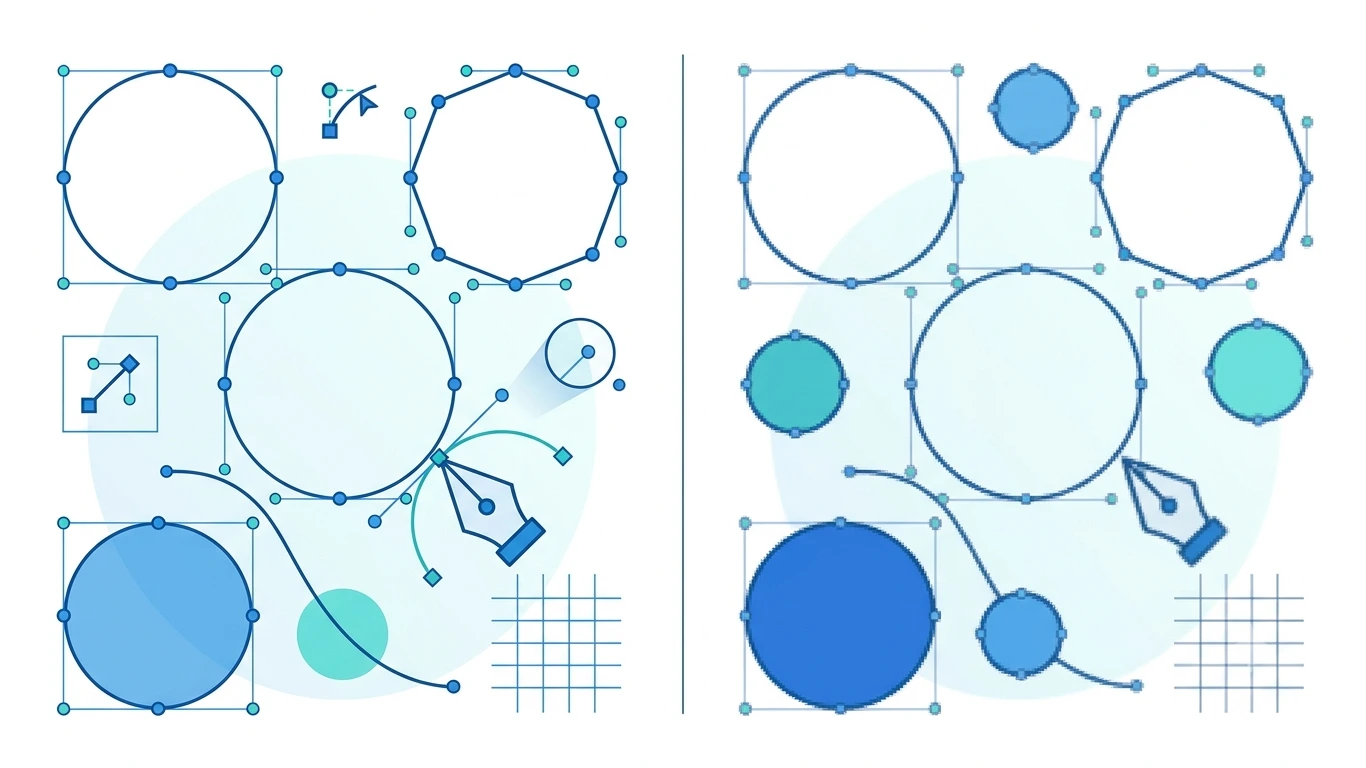
Instead of recording millions of colored pixels, vector data stores the position of points and connects them with mathematical paths. These paths form straight lines, curves, circles, rectangles, and complex shapes.
When you zoom in or enlarge a vector graphic, the computer simply recalculates the mathematical formulas and redraws the shapes at the new size. This is why vector graphics always remain crisp and sharp.
For example:
- A circle is stored by its center point and radius.
- A line is stored by its starting and ending coordinates.
- A curve is created using mathematical Bézier curves.
- A polygon is defined by multiple connected coordinate points.
Key Characteristics of Vector Data
Vector data offers several unique characteristics that make it suitable for professional design and engineering applications.
| Characteristic | Description |
|---|---|
| Scalable | Can be enlarged infinitely without losing quality. |
| Resolution Independent | Not affected by screen resolution. |
| Editable | Individual shapes can be modified easily. |
| Precise | Uses mathematical coordinates for accuracy. |
| Compact | Usually smaller than high-resolution raster images. |
| Reusable | Suitable for print, web, and manufacturing. |
Common Examples of Vector Data
You interact with vector data more often than you may realize. Some common examples include:
- Company logos
- Business cards
- Road and city maps
- Engineering blueprints
- Architectural floor plans
- CNC machine designs
- Laser-cutting templates
- SVG website icons
- Typography and fonts
- Infographics and diagrams
Why Is Vector Data Important?
Vector data is essential because it combines precision, scalability, and efficiency. It allows designers and engineers to create graphics that remain sharp regardless of size, while also enabling accurate measurements for manufacturing, mapping, and technical applications.
Without vector data, modern CAD systems, GPS mapping, CNC machining, logo design, and responsive web graphics would not be possible.
Many popular file formats—including SVG, DXF, AI, and EPS—are based on vector data. These formats are widely used for graphic design, engineering, laser cutting, and GIS applications because they preserve quality at any scale.
Types of Vector Data
Vector data is built from simple geometric elements that can represent almost any real-world object. In Geographic Information Systems (GIS), Computer-Aided Design (CAD), and graphic design, these elements are categorized into three main types: points, lines, and polygons.

1. Point Data
A point represents a single location using X and Y coordinates (and sometimes Z for elevation). Points have no length or area.
Examples:
- City locations
- GPS coordinates
- Trees
- Street lights
- Hospitals
- Weather stations
2. Line Data
Lines connect two or more points to represent linear features.
Examples:
- Roads
- Rivers
- Railway tracks
- Pipelines
- Power transmission lines
- Walking trails
3. Polygon Data
Polygons are closed shapes created by connecting multiple lines. They represent objects with area.
Examples:
- Countries
- Buildings
- Lakes
- Parks
- Property boundaries
- Agricultural fields
Common Vector File Formats
Many industries use specialized vector file formats depending on their workflows. Each format is designed for specific applications, such as web graphics, engineering drawings, or printing.
| Format | Description | Common Use |
|---|---|---|
| SVG | Scalable Vector Graphics | Web graphics and icons |
| DXF | Drawing Exchange Format | CAD and CNC machining |
| AI | Adobe Illustrator File | Professional graphic design |
| EPS | Encapsulated PostScript | Commercial printing |
| Portable Document Format | Documents and vector artwork | |
| CDR | CorelDRAW File | Illustrations and signage |
| DWG | AutoCAD Drawing | Engineering and architecture |
Advantages of Vector Data
Vector data provides several benefits that make it the preferred choice for professional graphics, mapping, and engineering projects.
- Scales infinitely without losing quality.
- Produces sharp, clean edges.
- Uses mathematical precision.
- Easy to edit individual objects.
- Usually has smaller file sizes for simple graphics.
- Ideal for printing at any resolution.
- Supports accurate measurements.
- Perfect for CNC machines and laser cutters.
- Maintains high quality across devices.
- Excellent for logos, icons, and technical drawings.
Disadvantages of Vector Data
Although vector data has many strengths, it is not suitable for every type of digital content.
- Not ideal for detailed photographs.
- Complex illustrations may increase file size.
- Requires specialized editing software.
- Can be more difficult for beginners to create.
- Some formats have limited compatibility.
- Photorealistic textures are challenging to reproduce.
Applications of Vector Data
Vector data is used in many industries because it combines precision, scalability, and efficiency.
| Industry | Application |
|---|---|
| Graphic Design | Logos, icons, illustrations |
| GIS | Maps and spatial analysis |
| Architecture | Building plans and layouts |
| Engineering | Technical drawings |
| CNC Machining | Machine cutting paths |
| Laser Cutting | Precision cutting templates |
| Printing | Large-format graphics |
| Web Design | Responsive SVG graphics |
| Manufacturing | Product design |
| Education | Charts and diagrams |
Real-World Examples of Vector Data
Vector data appears in many everyday technologies and professional workflows.
| Example | Vector Format |
|---|---|
| Company Logo | SVG, AI, EPS |
| Road Map | GIS Vector Data |
| House Blueprint | DWG, DXF |
| Laser Cutting Design | DXF, SVG |
| Website Icon | SVG |
| Business Card Design | AI, EPS, PDF |
| Machine Part Drawing | DXF, DWG |
| Infographic | SVG, AI |
Industries That Use Vector Data
Many industries rely on vector data because of its accuracy and scalability.
- Graphic Design
- Advertising
- Architecture
- Engineering
- Urban Planning
- GIS and Cartography
- Construction
- Manufacturing
- Education
- Printing
- CNC Machining
- Laser Engraving
- Product Design
- Web Development
- Animation and Motion Graphics
Why Professionals Prefer Vector Data
Professionals choose vector data because it delivers precision, flexibility, and consistent quality. Whether designing a small website icon or a large billboard, the same vector file can be resized without becoming blurry or pixelated. This saves time, reduces storage requirements, and ensures consistent results across digital and print media.
For logos, icons, CAD drawings, engineering plans, GIS maps, and laser-cutting files, vector data is the industry standard because it combines scalability, precision, and efficient editing in a single format.
Vector Data vs Raster Data
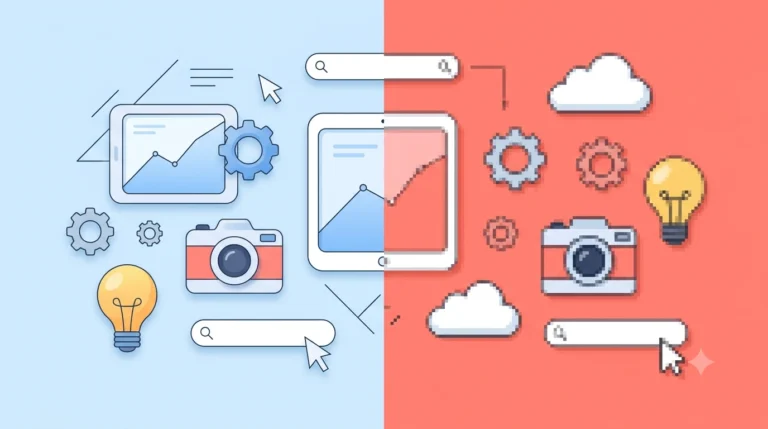
The biggest difference between vector data and raster data is how they store digital information. Vector graphics use mathematical paths and coordinates, while raster graphics are made up of millions of tiny colored pixels.
| Feature | Vector Data | Raster Data |
|---|---|---|
| Made Of | Points, Lines & Curves | Pixels |
| Scalability | Unlimited | Limited |
| Quality When Enlarged | No Quality Loss | May Become Pixelated |
| Best For | Logos, Maps, CAD | Photographs |
| Typical Formats | SVG, DXF, AI, EPS | PNG, JPG, BMP, TIFF |
| Editing | Edit Individual Objects | Edit Pixels |
SVG vs PNG
SVG and PNG are commonly used for web graphics, but they are fundamentally different.
| Feature | SVG | PNG |
|---|---|---|
| Type | Vector | Raster |
| Scalable | Yes | No |
| Transparency | Yes | Yes |
| Best For | Icons, Logos | Screenshots, Graphics |
| Quality at Large Sizes | Perfect | May Pixelate |
Recommendation: Use SVG for logos, icons, and illustrations. Use PNG for screenshots and graphics that require pixel-perfect detail.
DXF vs SVG
Both DXF and SVG are vector formats, but they serve different purposes.
| Feature | DXF | SVG |
|---|---|---|
| Main Purpose | CAD & Engineering | Web Graphics |
| Scalable | Yes | Yes |
| Supports Web Browsers | No | Yes |
| Used for CNC | Yes | Sometimes |
| Best For | Technical Drawings | Responsive Graphics |
AI vs EPS
Adobe Illustrator (AI) and EPS are both professional vector formats commonly used in graphic design and printing.
| Feature | AI | EPS |
|---|---|---|
| Developer | Adobe | Adobe |
| Editable | Excellent | Good |
| Printing | Excellent | Excellent |
| Cross-Platform Support | Limited | Very Good |
| Professional Design | Yes | Yes |
Common Myths About Vector Data
Myth 1: Vector Data Is Only for Designers
Reality: Engineers, architects, GIS professionals, CNC operators, manufacturers, printers, and developers all rely on vector data.
Myth 2: Vector Files Are Always Smaller
Reality: Simple vector graphics usually have small file sizes, but highly detailed illustrations can become quite large.
Myth 3: SVG Is the Only Vector Format
Reality: SVG is just one of many vector formats. Others include DXF, AI, EPS, DWG, PDF, and CDR.
Myth 4: Vector Graphics Can Replace Photographs
Reality: Raster images are still the best choice for detailed photographs and realistic textures.
Myth 5: You Can Convert Any Image into a Perfect Vector Automatically
Reality: Automatic vectorization works well for simple graphics and logos, but complex photographs often require manual editing for high-quality results.
Expert Tips for Working with Vector Data
- Create logos in SVG, AI, or EPS format.
- Use DXF or DWG for engineering and CNC projects.
- Keep a master vector file before exporting raster versions.
- Use SVG for responsive web graphics.
- Convert raster images to vectors only when appropriate.
- Organize vector layers for easier editing.
- Choose the correct format for your workflow.
- Optimize SVG files before uploading to websites.
Quick Comparison Table
| Feature | Vector Data | Raster Data |
|---|---|---|
| Based On | Mathematical Paths | Pixels |
| Scalable | Yes | No |
| Print Quality | Excellent | Depends on Resolution |
| Ideal for Logos | Yes | No |
| Ideal for Photos | No | Yes |
| Common Formats | SVG, DXF, AI, EPS | PNG, JPG, BMP, TIFF |
| Quality After Resizing | Unchanged | May Decrease |
Frequently Asked Questions
What is vector data in simple words?
Vector data is digital information created with mathematical points, lines, and curves instead of pixels, allowing graphics to be resized without losing quality.
What is vector data used for?
Vector data is used for logos, maps, engineering drawings, CAD files, CNC machining, laser cutting, architectural plans, illustrations, and scalable web graphics.
Is SVG a vector file?
Yes. SVG (Scalable Vector Graphics) is one of the most widely used vector formats for websites and digital graphics.
Is DXF vector data?
Yes. DXF is a vector-based file format commonly used in CAD software, engineering, CNC machining, and laser cutting.
Can vector images lose quality?
No. Vector images are resolution-independent and can be enlarged or reduced without losing sharpness.
Can PNG be converted into vector data?
Yes, but the process is called vectorization. Simple logos and icons convert well, while detailed photographs usually require manual refinement.
Conclusion: What Is Vector Data?
Vector data is one of the most important technologies used in digital graphics, mapping, engineering, and manufacturing. Instead of storing images as pixels, vector data uses mathematical coordinates to create points, lines, curves, and polygons. This allows graphics to be resized to any dimension without losing quality.
Whether you’re creating a company logo, designing a website icon, producing an architectural blueprint, building a GIS map, or preparing a CNC cutting file, vector data offers unmatched precision, flexibility, and scalability.
Understanding when to use vector data instead of raster data helps you choose the right file format, improve workflow efficiency, and maintain professional-quality graphics across print, web, and manufacturing projects.
Use vector data whenever graphics need to remain sharp at any size. Formats such as SVG, DXF, AI, and EPS are ideal for scalable artwork, technical drawings, GIS mapping, and precision manufacturing.
Vector Data Quick Summary
| Feature | Vector Data |
|---|---|
| Stores Data As | Mathematical Paths |
| Scalable | Unlimited |
| Quality Loss | None |
| Best For | Logos, CAD, Maps, CNC |
| Typical Formats | SVG, DXF, AI, EPS, DWG, PDF |
| Common Industries | Design, GIS, Engineering, Manufacturing |
Which Vector Format Should You Choose?
| Use Case | Recommended Format |
|---|---|
| Website Icons | SVG |
| Company Logos | SVG or AI |
| Commercial Printing | EPS or PDF |
| Engineering Drawings | DXF or DWG |
| CNC Machining | DXF |
| Laser Cutting | DXF or SVG |
| Illustrations | AI or SVG |
| GIS Mapping | Shapefile, GeoJSON, GPKG |
Related Articles
- What Is a DXF File?
- BMP to PNG
- AVIF to PNG
- HEIC to PNG
- PNG to PDF
- TIFF Meaning
- What Is HDR?
- Lossy vs Lossless
- Google Images Guide
Helpful External Resources
- MDN Web Docs – SVG
- W3C SVG Specification
- Adobe Illustrator
- Autodesk
- Open Geospatial Consortium (OGC)
Frequently Asked Questions
What is vector data?
Vector data is digital information represented by mathematical points, lines, curves, and polygons instead of pixels, allowing graphics to scale without losing quality.
What are examples of vector data?
Examples include company logos, road maps, architectural drawings, engineering blueprints, website icons, fonts, and CNC cutting files.
Is SVG a vector format?
Yes. SVG (Scalable Vector Graphics) is one of the most popular vector file formats for websites and digital illustrations.
Is PNG vector or raster?
PNG is a raster image format. It stores graphics as pixels rather than mathematical paths.
Can vector graphics be resized without losing quality?
Yes. Vector graphics are resolution-independent and remain sharp at any size.
What industries use vector data?
Graphic design, GIS, engineering, architecture, manufacturing, CNC machining, laser cutting, printing, and web development all rely heavily on vector data.