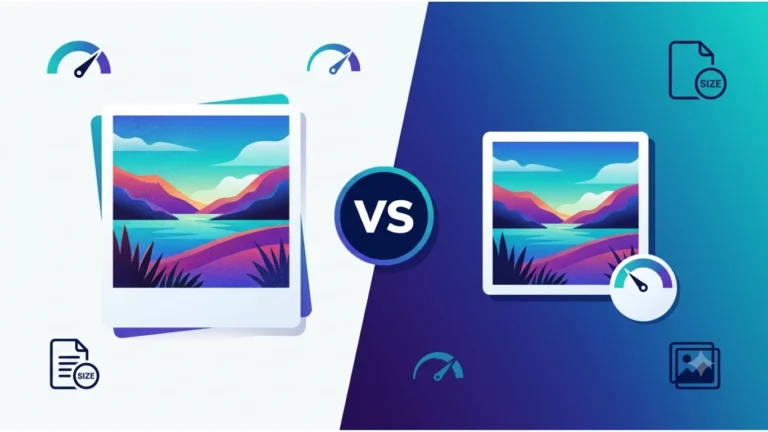

What Is a DXF File? Best introduction of DXF File (2026)
What Is a DXF File?
If you’ve downloaded a DXF file and don’t know how to open it, you’re not alone. DXF is one of the most widely used file formats in computer-aided design (CAD), engineering, CNC machining, laser cutting, and manufacturing. It allows drawings to be shared between different CAD programs while preserving vector data.
In this complete guide, you’ll learn what a DXF file is, what DXF stands for, how it works, how to open and edit DXF files, and how to convert them into other popular formats such as PNG, SVG, and PDF.
Featured Snippet: What Is a DXF File?
A DXF file (Drawing Exchange Format) is a vector file format developed by Autodesk for exchanging CAD drawings between different software applications. DXF files store lines, curves, shapes, dimensions, and other vector objects, making them ideal for engineering, CNC machining, laser cutting, architecture, and technical drawings.
Table of Contents
- What Is a DXF File?
- What Does DXF Stand For?
- History of DXF
- How DXF Files Work
- Why DXF Is So Popular
- DXF vs DWG
- Frequently Asked Questions
- Conclusion
What Is a DXF File?
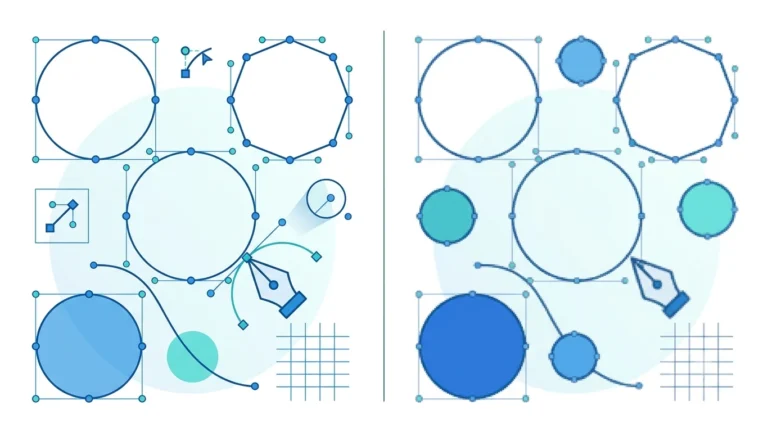
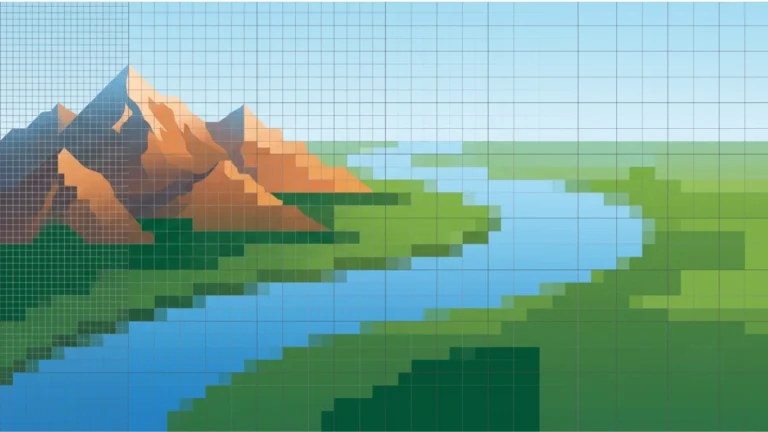
A DXF (Drawing Exchange Format) file is a vector-based file format used to exchange design data between CAD applications. Unlike raster image formats such as PNG or JPG, DXF files store mathematical information about lines, circles, arcs, splines, and other geometric objects rather than pixels.
Because DXF files are vector-based, they can be scaled to virtually any size without losing quality. This makes them the preferred choice for manufacturing, CNC routers, laser cutters, plasma cutters, vinyl cutters, and technical drawing software.
DXF files usually use the .dxf file extension and can be opened by many CAD and vector graphics programs.
What Does DXF Stand For?
DXF stands for Drawing Exchange Format. Autodesk developed the format in the early 1980s to allow different CAD software programs to exchange drawing data accurately.
The primary goal of DXF is compatibility. Instead of locking drawings into a single application, DXF enables users to share files across multiple CAD platforms.
DXF is one of the world’s most widely supported CAD file formats and is recognised by hundreds of engineering, manufacturing, architecture, and design applications.
History of DXF
DXF was introduced by Autodesk in 1982 alongside AutoCAD. At the time, most CAD programs stored drawings in proprietary formats that were difficult to exchange between different software packages.
Autodesk created DXF as an open exchange format so engineers, architects, manufacturers, and designers could transfer technical drawings without losing important vector information.
Today, DXF remains an industry standard for CAD interoperability and is widely used across manufacturing and engineering workflows.
How DXF Files Work
Unlike image files that store coloured pixels, DXF files describe drawings using vector data. Every object is defined mathematically, allowing software to reproduce precise shapes regardless of zoom level or output size.
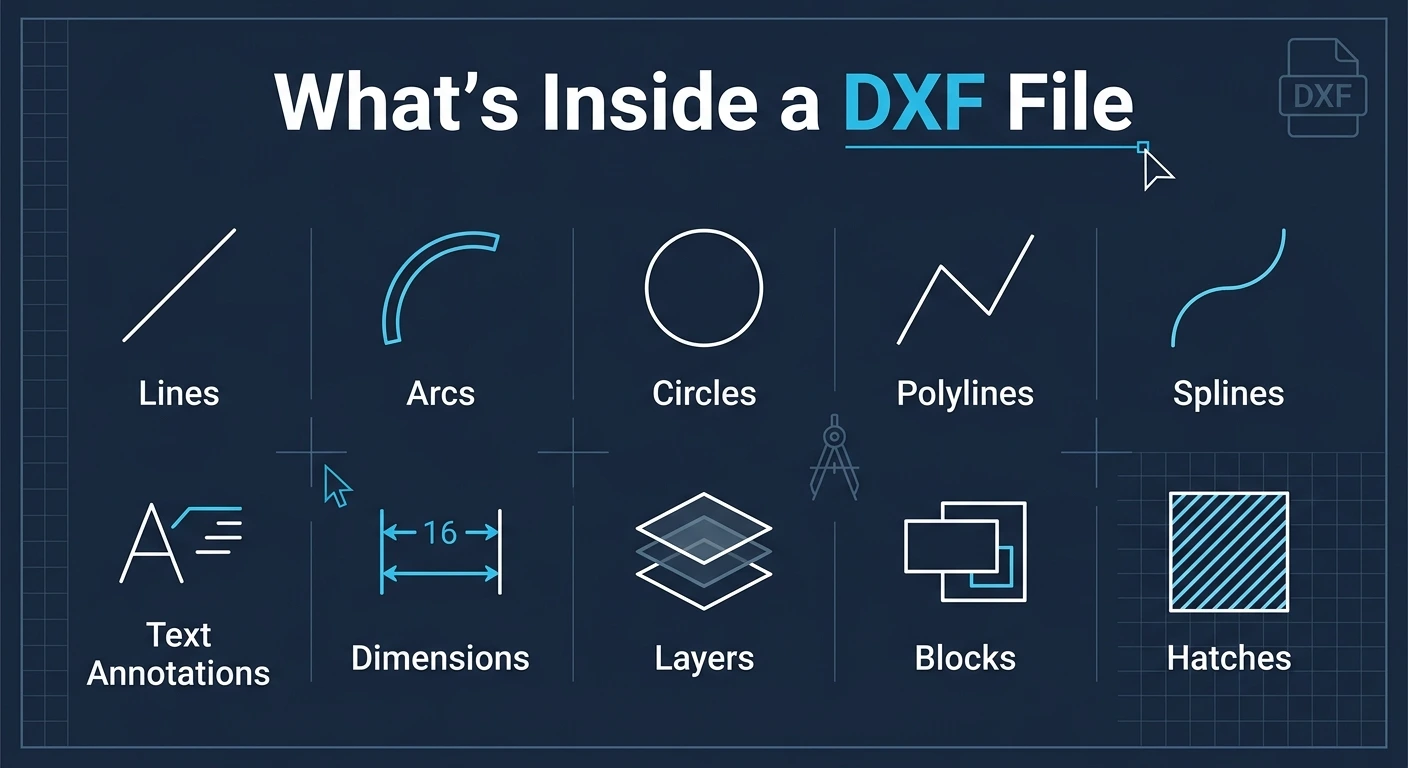
A DXF file can contain:
- Lines
- Arcs
- Circles
- Polylines
- Splines
- Text annotations
- Dimensions
- Layers
- Blocks
- Hatches
This mathematical structure makes DXF ideal for machines that require precise cutting or engraving paths.
Why DXF Is So Popular
DXF has remained popular for decades because it offers excellent compatibility between CAD applications and manufacturing equipment.
- Works with hundreds of CAD programs.
- Ideal for CNC machining.
- Perfect for laser cutting.
- Supports precise vector geometry.
- Easy to exchange between software.
- Suitable for technical drawings.
- Scales without losing quality.
- Widely accepted in manufacturing.
DXF vs DWG
| Feature | DXF | DWG |
|---|---|---|
| Full Name | Drawing Exchange Format | Drawing |
| Developer | Autodesk | Autodesk |
| Primary Purpose | File exchange | Native AutoCAD format |
| Compatibility | Excellent | Limited outside CAD software |
| Human Readable | Often yes (ASCII DXF) | No |
| Best For | Sharing CAD drawings | Editing inside AutoCAD |
Where Are DXF Files Used?
DXF files are used across many industries that require accurate vector drawings and machine-readable designs.
- Architecture
- Mechanical engineering
- Civil engineering
- CNC machining
- Laser cutting
- Plasma cutting
- Woodworking
- Metal fabrication
- Product design
- 3D modelling workflows
Benefits of DXF Files
- Vector-based precision.
- No loss of quality when scaled.
- Excellent software compatibility.
- Ideal for manufacturing.
- Supports layers and dimensions.
- Easy to exchange between CAD applications.
- Suitable for CNC and laser cutting machines.
- Long-established industry standard.
How to Open a DXF File
Opening a DXF file is easier than many people think. Since DXF is an industry-standard CAD format, numerous free and professional applications can read it. The best software depends on whether you only want to view the file or edit it.
- Install a DXF-compatible application.
- Open the software.
- Select File → Open.
- Browse to your .dxf file.
- Open the drawing to view or edit it.
If you only need to inspect the drawing, a free viewer is usually sufficient. For editing or creating DXF files, use dedicated CAD or vector design software.
Best Software for Opening DXF Files
Many applications support the DXF format. Some are designed specifically for CAD, while others provide basic viewing and editing capabilities.
| Software | Platform | Best For |
|---|---|---|
| AutoCAD | Windows, macOS | Professional CAD design |
| LibreCAD | Windows, macOS, Linux | Free 2D CAD editing |
| Inkscape | Windows, macOS, Linux | Vector graphics |
| CorelDRAW | Windows, macOS | Graphic design & vector editing |
| Adobe Illustrator | Windows, macOS | Professional vector artwork |
How to Edit a DXF File
Editing a DXF file depends on the complexity of the drawing. Most CAD programs allow you to modify vector objects while preserving their accuracy.
You can typically edit:
- Lines and polylines
- Circles and arcs
- Dimensions
- Layers
- Text annotations
- Blocks
- Splines
- Hatches
Always keep a backup of your original DXF file before making major edits, especially if it will be used for CNC machining or laser cutting.
How to Convert a DXF File
Sometimes you need to convert a DXF file into another format for viewing, printing, or sharing. Online converters make this process quick and simple.
Popular DXF conversions include:
- DXF to PNG
- DXF to PDF
- DXF to SVG
- DXF to JPG
- DXF to DWG
- PNG to DXF
- SVG to DXF
When converting between formats, always check the output carefully to ensure dimensions, scale, and vector paths remain accurate.
Common Uses of DXF Files
DXF files are used wherever precise vector drawings are required. Their compatibility makes them suitable for numerous technical and creative applications.
- Laser cutting
- CNC machining
- Plasma cutting
- Vinyl cutting
- Architecture
- Mechanical engineering
- Electrical schematics
- Furniture manufacturing
- Product prototyping
- Industrial design
Industries That Use DXF
| Industry | Typical Use |
|---|---|
| Manufacturing | Machine-ready cutting files |
| Architecture | Building plans |
| Mechanical Engineering | Technical drawings |
| Woodworking | CNC furniture production |
| Metal Fabrication | Laser and plasma cutting |
| Sign Making | Vinyl cutting designs |
| Automotive | Component design |
| Education | CAD training |
Advantages of DXF Files
- Open industry-standard format.
- Excellent compatibility between CAD programs.
- Stores precise vector geometry.
- Supports layers and annotations.
- Ideal for CNC and laser machines.
- Scales without quality loss.
- Easy to exchange between teams.
- Supported by hundreds of applications.
Limitations of DXF Files
Although DXF is extremely versatile, it also has some limitations.
- Larger file sizes than some modern CAD formats.
- Complex drawings may import differently between software.
- Some advanced AutoCAD features are not fully supported.
- Not intended for photographs or raster images.
- Can become difficult to manage with highly detailed projects.
Best Practices for Working with DXF Files
- Keep your drawings organised using layers.
- Use consistent units throughout the project.
- Remove duplicate lines before manufacturing.
- Convert text to outlines when required.
- Verify drawing scale before exporting.
- Check for open paths before laser cutting.
- Keep an original backup of every project.
- Test machine settings before full production.
If you’re preparing a DXF file for CNC routing or laser cutting, always inspect the drawing for duplicate vectors, open paths, and incorrect dimensions. Small design errors can lead to wasted material and inaccurate cuts.
DXF vs SVG
DXF and SVG are both vector file formats, but they are designed for different purposes. DXF is primarily used in CAD, engineering, and manufacturing, while SVG is intended for websites, digital graphics, and scalable illustrations.
| Feature | DXF | SVG |
|---|---|---|
| Primary Purpose | CAD & Engineering | Web Graphics |
| Vector Format | Yes | Yes |
| Web Browser Support | Limited | Excellent |
| CNC Compatibility | Excellent | Good |
| Laser Cutting | Excellent | Good |
| Best For | Technical Drawings | Icons, Logos & Illustrations |
DXF vs AI
Adobe Illustrator’s AI format is designed for graphic design, while DXF is designed for exchanging technical drawings between CAD applications.
| Feature | DXF | AI |
|---|---|---|
| Developer | Autodesk | Adobe |
| Main Purpose | Engineering Drawings | Graphic Design |
| Vector Graphics | Yes | Yes |
| CAD Support | Excellent | Limited |
| Print Design | Good | Excellent |
DXF vs PDF
Although both formats can display drawings, they serve different purposes. PDF is mainly used for viewing, sharing, and printing documents, whereas DXF stores editable vector drawing data.
| Feature | DXF | |
|---|---|---|
| Editable | Yes | Usually No |
| Vector Support | Yes | Yes |
| CAD Data | Yes | No |
| Printing | Good | Excellent |
| Sharing | Good | Excellent |
DXF vs STL
DXF and STL are commonly used in manufacturing but serve different purposes. DXF stores 2D vector drawings, while STL stores 3D surface geometry for 3D printing.
| Feature | DXF | STL |
|---|---|---|
| Dimensions | 2D | 3D |
| Main Use | CAD Drawings | 3D Printing |
| Machine Type | CNC & Laser | 3D Printer |
| Vector Data | Yes | No (Mesh) |
| Engineering | Excellent | Excellent |
DXF vs PNG
DXF and PNG are fundamentally different file types. DXF stores vector drawing information, while PNG stores raster images made up of pixels.
| Feature | DXF | PNG |
|---|---|---|
| Type | Vector | Raster |
| Scalable Without Quality Loss | Yes | No |
| Transparency | No | Yes |
| Best For | CAD Drawings | Images & Graphics |
| Used By | CAD Software | Image Editors & Browsers |
Common DXF File Mistakes
Beginners often encounter issues when creating or preparing DXF files for manufacturing. Avoiding these mistakes can save time and materials.
- Using the wrong measurement units.
- Leaving duplicate lines in the drawing.
- Creating open instead of closed paths.
- Forgetting to convert text into outlines.
- Ignoring drawing scale before exporting.
- Using raster images instead of vectors.
- Not checking layer organisation.
- Skipping a final preview before machining.
Expert Tips for Working with DXF Files
- Keep separate layers for cutting, engraving, and annotations.
- Always verify dimensions before sending files to CNC or laser machines.
- Remove duplicate vectors to prevent repeated cuts.
- Use closed paths for accurate machining.
- Save a backup before converting to another format.
- Test the file on scrap material before full production.
Who Uses DXF Files?
DXF files are used by professionals in many industries because of their accuracy and compatibility.
- Mechanical engineers
- Architects
- CNC machine operators
- Laser cutting businesses
- Metal fabricators
- Woodworkers
- Product designers
- Industrial manufacturers
- Graphic designers creating cut files
- Engineering students
Frequently Asked Questions
Is DXF a vector file?
Yes. DXF is a vector-based CAD format that stores geometric data such as lines, circles, arcs, splines, and dimensions instead of pixels.
Can I open a DXF file without AutoCAD?
Yes. Many free programs such as LibreCAD and Inkscape can open DXF files. Several online viewers are also available.
Can DXF files be used for laser cutting?
Absolutely. DXF is one of the most widely accepted formats for laser cutters, CNC routers, plasma cutters, and vinyl cutters.
Can I convert an image into a DXF file?
Yes. Images such as PNG, JPG, or SVG can be converted into DXF using vector conversion software or online converters, although raster images usually require tracing first.
Is DXF better than DWG?
Neither format is universally better. DXF is ideal for sharing drawings between different CAD programs, while DWG is generally preferred for native AutoCAD editing.
Conclusion: What Is a DXF File?
A DXF (Drawing Exchange Format) file is one of the world’s most widely used vector file formats for CAD, engineering, CNC machining, laser cutting, architecture, and manufacturing. Developed by Autodesk, DXF allows technical drawings to be exchanged between different software applications while preserving precise geometric data.
Unlike raster image formats such as PNG or JPG, DXF files store mathematical vector information. This enables drawings to be resized without losing quality and makes DXF the preferred choice for machines that require accurate cutting, engraving, and manufacturing instructions.
Whether you’re an engineer, architect, hobbyist, or CNC operator, understanding the DXF format will help you create, edit, share, and manufacture professional-quality designs more efficiently.
DXF is the industry-standard file format for sharing CAD drawings and machine-ready vector designs. It offers excellent compatibility, precision, and support across hundreds of CAD and manufacturing applications.
DXF File Quick Reference
| Feature | Details |
|---|---|
| Full Name | Drawing Exchange Format |
| Developer | Autodesk |
| File Extension | .dxf |
| File Type | Vector CAD Format |
| Introduced | 1982 |
| Supports Scaling | Yes (without quality loss) |
| Best For | CAD drawings, CNC machining, laser cutting, engineering |
| Common Software | AutoCAD, LibreCAD, Inkscape, CorelDRAW, Adobe Illustrator |
When Should You Use a DXF File?
- Creating CNC machining designs.
- Preparing laser cutting projects.
- Sharing CAD drawings between software.
- Designing engineering components.
- Producing architectural plans.
- Creating vinyl cutter artwork.
- Generating plasma cutting paths.
- Preparing machine-ready vector drawings.
Related Articles
Continue learning with these helpful guides:
- PNG to DXF Converter
- SVG to DXF Converter
- TGA to PNG
- HEIC to PNG
- AVIF to PNG
- TIFF Meaning
- What Is HDR?
- Google Images
Useful External Resources
Featured Image Alt Text
Alt Text:
What is a DXF file showing a CAD drawing in Drawing Exchange Format used for CNC machining, laser cutting, and engineering design.
SEO Image Alt Text Suggestions
| Image | Recommended Alt Text |
|---|---|
| Featured Image | What is a DXF file displayed as a CAD drawing with vector lines and dimensions. |
| AutoCAD Drawing | Engineering drawing opened in AutoCAD using the DXF file format. |
| Laser Cutting | DXF file prepared for laser cutting on a CNC machine. |
| CNC Machine | CNC router using a DXF vector file for precision cutting. |
| DXF vs DWG | Comparison between DXF and DWG CAD file formats. |
| DXF vs SVG | Vector comparison of DXF and SVG file formats. |
| PNG to DXF | Converting a PNG image into a DXF vector file. |
| DXF Viewer | Opening and viewing a DXF file in CAD software. |
Target Keywords Included
- what is a dxf file
- dxf file
- dxf meaning
- drawing exchange format
- what does dxf stand for
- open dxf file
- edit dxf file
- dxf viewer
- convert dxf
- autocad dxf
- cad file format
- vector file format
- cnc dxf file
- laser cutting dxf
- dxf drawing
Frequently Asked Questions
What is a DXF file used for?
DXF files are used to exchange CAD drawings between software applications and to create machine-ready designs for CNC routers, laser cutters, plasma cutters, and engineering projects.
Can I open a DXF file without AutoCAD?
Yes. You can open DXF files using free software such as LibreCAD, Inkscape, and other compatible CAD viewers.
Is a DXF file a vector file?
Yes. DXF is a vector-based file format that stores mathematical drawing data rather than pixels.
Can I convert a PNG image into a DXF file?
Yes. PNG images can be converted into DXF files using vector tracing software or online PNG to DXF converters. For the best results, use high-contrast images with clean edges.
Is DXF better than SVG?
It depends on the application. DXF is ideal for CAD and manufacturing, while SVG is better suited for websites, digital graphics, and scalable illustrations.