How to Convert ICO to PNG for Free (Complete Guide 2026)
ICO to PNG
If you need to convert an ICO file to PNG, you’ve come to the right place. ICO files are primarily used for Windows icons and favicons, while PNG is one of the most widely supported image formats for websites, graphic design, presentations, and digital artwork. Converting an ICO file into PNG makes it easier to edit, share, and use across different devices and applications.
Whether you’re extracting an icon from software, converting a favicon for web development, or editing icons in graphic design software, this guide explains the easiest ways to convert ICO to PNG without losing transparency or image quality.
You’ll also learn what ICO and PNG files are, why conversion is useful, the best conversion tools, and tips for maintaining the highest possible image quality.
Featured Snippet: How Do You Convert ICO to PNG?
To convert ICO to PNG, upload the ICO file to an online converter or open it in software such as Photoshop or GIMP, then export or save it as a PNG image. PNG preserves transparency, supports high-quality graphics, and works on nearly all operating systems, websites, and image editing applications.
Table of Contents
- What Is an ICO File?
- What Is a PNG File?
- Why Convert ICO to PNG?
- How to Convert ICO to PNG
- Best ICO to PNG Converter Tools
- ICO vs PNG Comparison
- Frequently Asked Questions
- Conclusion
What Is an ICO File?
ICO is the standard icon file format used by Microsoft Windows. It stores one or more images at different sizes and resolutions within a single file, allowing Windows to display the appropriate icon size depending on where it appears.
ICO files are commonly used for:
- Windows desktop icons
- Application icons
- Folder icons
- Website favicons
- Software shortcuts
- Custom icon packs
- System icons
- Browser tab icons
Unlike most image formats, an ICO file can contain multiple icon sizes such as 16×16, 32×32, 48×48, 64×64, 128×128, and 256×256 pixels within a single file.
What Is a PNG File?
PNG (Portable Network Graphics) is a popular raster image format that uses lossless compression. It supports transparent backgrounds and produces high-quality images without losing detail during compression.
PNG files are widely used for:
- Website graphics
- Company logos
- Icons
- User interface elements
- Screenshots
- Product images
- Digital illustrations
- Social media graphics
PNG supports transparent backgrounds, making it one of the best image formats for logos, icons, and web graphics.
Why Convert ICO to PNG?
Although ICO files work well on Windows systems, PNG images offer much greater compatibility across websites, mobile devices, graphic design software, and image editors.
Converting ICO to PNG allows you to:
- Edit icons in image editing software.
- Use icons on websites.
- Create transparent graphics.
- Share icons more easily.
- Insert icons into presentations.
- Use icons in mobile applications.
- Maintain excellent image quality.
Common Uses of ICO to PNG Conversion
| Industry | Why PNG Is Needed |
|---|---|
| Web Design | Website graphics and transparent images. |
| Graphic Design | Edit icons in design software. |
| Software Development | Create application graphics. |
| Mobile Apps | Use icons in Android and iOS apps. |
| Digital Marketing | Create promotional graphics. |
| Presentations | Insert high-quality transparent icons. |
| Education | Create learning materials and diagrams. |
| Content Creation | Design blogs, videos, and social media content. |
ICO vs PNG: Quick Comparison
| Feature | ICO | PNG |
|---|---|---|
| Primary Purpose | Windows icons | General-purpose images |
| Transparency | Yes | Yes |
| Compression | Lossless | Lossless |
| Multiple Sizes | Yes | No |
| Browser Support | Limited | Excellent |
| Editing Support | Limited | Excellent |
| Best For | Windows applications | Websites and graphic design |
Who Needs an ICO to PNG Converter?
ICO to PNG conversion is useful for:
- Web developers
- Graphic designers
- Software developers
- UI/UX designers
- Digital marketers
- Students
- Content creators
- Business owners
- App developers
- Bloggers
Benefits of Converting ICO to PNG
- Preserves transparent backgrounds.
- Produces high-quality images.
- Works on all major operating systems.
- Compatible with nearly every image editor.
- Ideal for websites and mobile applications.
- Easy to edit and share.
- Supports lossless image quality.
How to Convert ICO to PNG
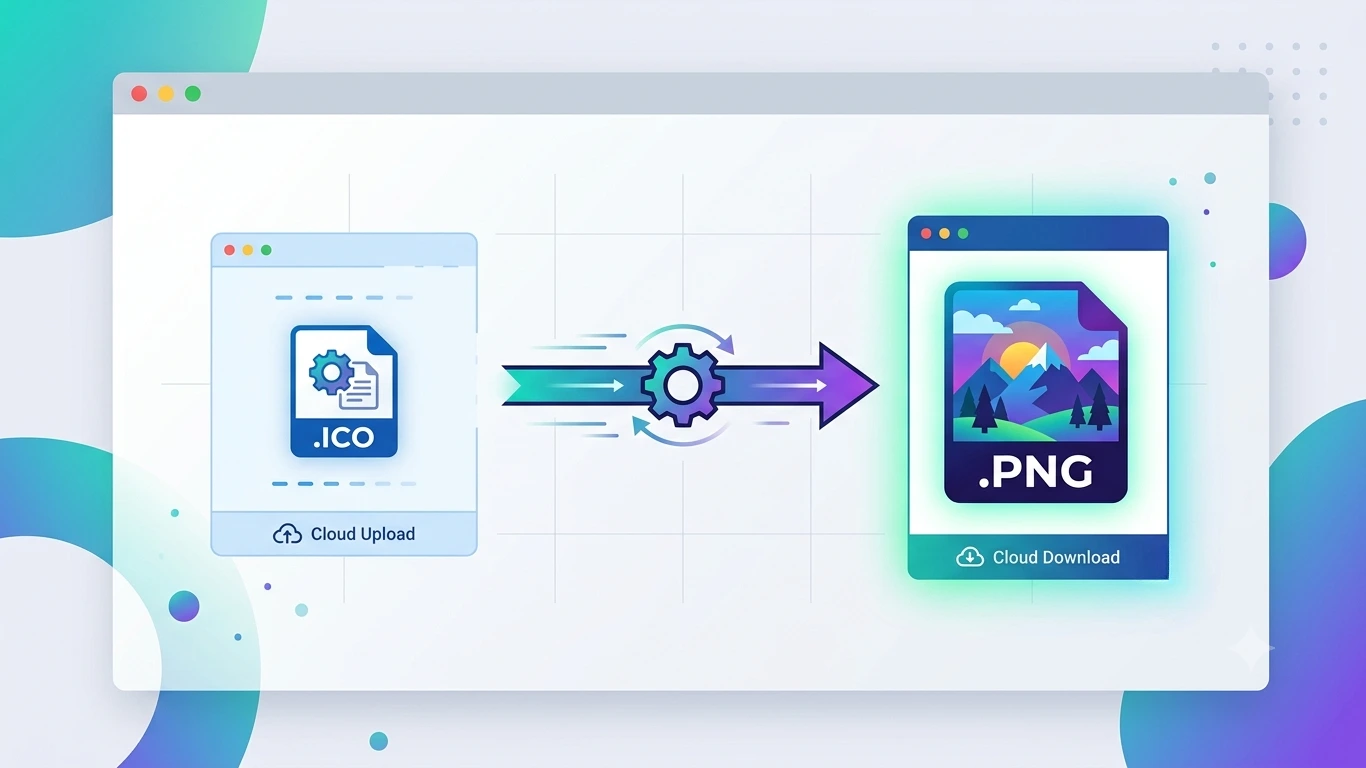
Converting an ICO to PNG is straightforward because both are raster image formats. Most conversion tools simply extract the desired icon size from the ICO file and save it as a PNG image while preserving transparency.
Below are the most effective methods for converting ICO files into PNG images on Windows, macOS, Linux, and online.
Method 1: Convert ICO to PNG Using an Online Converter
An online ICO to PNG converter is the fastest solution if you only need to convert one or two files without installing additional software.
Steps
- Open a trusted ICO to PNG converter.
- Upload your ICO file.
- Select the icon size if multiple sizes are available.
- Choose PNG as the output format.
- Click Convert.
- Download the PNG image.
Advantages
- No software installation required.
- Fast conversion.
- Works on any operating system.
- Ideal for occasional use.
Limitations
- Upload size restrictions.
- Internet connection required.
- Some free tools display advertisements.
- Batch conversion may require a premium plan.
Method 2: Convert ICO to PNG Using Windows Paint
Many ICO files can be opened directly in Microsoft Paint, making it one of the simplest conversion methods for Windows users.
Steps
- Right-click the ICO file.
- Select Open With → Paint.
- Choose File → Save As.
- Select PNG Picture.
- Choose a destination folder.
- Save the PNG image.
Method 3: Convert ICO to PNG Using Adobe Photoshop
Adobe Photoshop provides professional image editing tools and can preserve transparency while exporting icons as PNG images.
Steps
- Open Photoshop.
- Open the ICO file.
- Select the desired icon resolution.
- Edit the image if necessary.
- Choose File → Export → Export As.
- Select PNG.
- Enable transparency if required.
- Export the image.
This method is recommended for designers who want to modify icons before conversion.
Method 4: Convert ICO to PNG Using GIMP
GIMP is a free, open-source image editor that supports ICO files and allows you to export them as PNG images.
Steps
- Open GIMP.
- Import the ICO file.
- Select the required icon size.
- Edit the image if needed.
- Click File → Export As.
- Select PNG as the output format.
- Export the file.
GIMP is an excellent free alternative to Photoshop for ICO conversion.
Method 5: Convert ICO to PNG Using ImageToolkitPro
If your website offers an ICO to PNG converter, users can simply upload an ICO file, choose PNG as the output format, and download the converted image in seconds.
Benefits include:
- Fast browser-based conversion.
- No software installation.
- Simple user interface.
- Supports transparent PNG output.
- Accessible from desktop and mobile devices.
Best ICO to PNG Converter Tools
| Software | Free | Best For |
|---|---|---|
| Online Converter | Yes | Quick conversions. |
| Microsoft Paint | Yes | Basic Windows conversions. |
| GIMP | Yes | Free image editing. |
| Adobe Photoshop | No | Professional editing. |
| ImageToolkitPro | Yes | Simple online conversion. |
Common ICO to PNG Conversion Problems
| Problem | Solution |
|---|---|
| Blurry PNG | Select the highest icon resolution available. |
| Lost Transparency | Export PNG with transparency enabled. |
| Wrong Icon Size | Choose the correct size before exporting. |
| Poor Image Quality | Use the largest image stored inside the ICO file. |
| Unsupported File | Open the file using Photoshop or GIMP. |
| Large File Size | Compress the PNG after conversion if necessary. |
Advantages of ICO to PNG Conversion
- Maintains transparent backgrounds.
- Creates images compatible with all major operating systems.
- Easy to edit in image editing software.
- Perfect for websites and presentations.
- Suitable for graphic design projects.
- Supports lossless image quality.
- Simple sharing across platforms.
Limitations of ICO to PNG Conversion
- PNG stores only one image size per file.
- Animated icons cannot be preserved.
- Very small icons may appear pixelated when enlarged.
- Some converters automatically choose the wrong icon size.
ICO vs PNG: Detailed Comparison
| Feature | ICO | PNG |
|---|---|---|
| File Type | Icon File | Raster Image |
| Multiple Resolutions | Yes | No |
| Transparency | Yes | Yes |
| Image Quality | High | High |
| Best Use | Windows Icons | Web Graphics |
| Editing Support | Limited | Excellent |
| Compatibility | Mainly Windows | Universal |
When Should You Convert ICO to PNG?
Converting ICO to PNG is recommended whenever you need to use an icon outside the Windows ecosystem.
- Website development
- Graphic design
- Presentation slides
- Application design
- Social media graphics
- Mobile app development
- Digital marketing
- Educational materials
Best Practices for ICO to PNG Conversion
Although converting an ICO to PNG is relatively simple, following a few best practices can help you preserve image quality, transparency, and sharp edges. Choosing the correct icon resolution and exporting with transparency enabled will produce the best results.
- Select the highest-resolution icon available in the ICO file.
- Keep transparency enabled during export.
- Avoid enlarging small icons after conversion.
- Save the PNG using lossless compression.
- Choose PNG-24 for maximum colour quality when supported.
- Keep the original ICO file as a backup.
- Verify the converted image before publishing.
ICO to PNG for Website Design
Web designers often convert ICO files into PNG images because PNG offers excellent browser compatibility and supports transparent backgrounds. This makes PNG ideal for logos, buttons, navigation icons, and other web graphics.
Common website uses include:
- Navigation icons
- Website logos
- Call-to-action buttons
- Landing page graphics
- Blog illustrations
- Dashboard icons
- Product badges
ICO to PNG for Mobile App Development
Mobile applications frequently use PNG icons because Android and iOS development tools support PNG images for application interfaces, splash screens, and navigation elements.
PNG files are commonly used for:
- App launcher icons
- Toolbar icons
- Menu buttons
- Notification graphics
- Settings icons
- User interface components
ICO to PNG for Graphic Design
Graphic designers convert ICO files into PNG format to edit icons in professional design software. PNG images can easily be incorporated into posters, presentations, advertisements, brochures, and digital artwork.
Popular graphic design projects include:
- Marketing materials
- Social media graphics
- Business presentations
- Product packaging
- Website banners
- Educational content
How to Preserve Transparency
One of PNG’s biggest advantages is its ability to preserve transparent backgrounds. To maintain transparency during conversion:
| Recommendation | Benefit |
|---|---|
| Export as PNG | Supports alpha transparency. |
| Enable Transparency | Keeps the background transparent. |
| Avoid JPG Output | Prevents unwanted white backgrounds. |
| Use PNG-24 | Maintains colour accuracy. |
| Preview Before Saving | Confirms transparency is preserved. |
Improve PNG Quality After Conversion
If the converted PNG image appears blurry or pixelated, try these improvements:
| Improvement | Result |
|---|---|
| Choose the Largest Icon | Sharper image. |
| Avoid Upscaling | Prevents pixelation. |
| Use Lossless Compression | Preserves image quality. |
| Sharpen Slightly | Improves edge definition. |
| Keep Original Dimensions | Maintains clarity. |
Common ICO to PNG Conversion Errors
| Error | Cause | Solution |
|---|---|---|
| Blurry Image | Low-resolution icon selected. | Choose the largest icon size. |
| White Background | Transparency disabled. | Enable alpha transparency. |
| Wrong Dimensions | Incorrect icon extracted. | Select the correct resolution. |
| Poor Quality | Image enlarged after conversion. | Keep the original dimensions. |
| Large File Size | High-resolution PNG. | Optimise the PNG after conversion. |
| Unsupported ICO | Converter limitations. | Use Photoshop or GIMP. |
Tips for Better ICO to PNG Results
- Use the highest available icon resolution.
- Always preserve transparency.
- Avoid unnecessary image resizing.
- Optimise the PNG for web use if needed.
- Keep a copy of the original ICO file.
- Preview the converted image on different devices.
- Compress large PNG files without reducing quality.
- Use professional software for editing.
Who Should Convert ICO to PNG?
| User | Why Convert? |
|---|---|
| Web Developers | Create website graphics. |
| Graphic Designers | Edit icons in design software. |
| App Developers | Create mobile application graphics. |
| Software Developers | Reuse application icons. |
| Content Creators | Produce tutorials and presentations. |
| Digital Marketers | Create promotional graphics. |
| Students | Prepare educational projects. |
| Business Owners | Design branding materials. |
Frequently Asked Questions (FAQs)
Can I convert ICO to PNG for free?
Yes. Many online converters, Microsoft Paint, and GIMP allow you to convert ICO files into PNG images at no cost.
Will PNG keep the transparent background?
Yes. PNG fully supports transparency, provided the converter preserves the alpha channel during export.
Why does my PNG look blurry?
You may have exported a small icon size. Choose the highest available resolution inside the ICO file, such as 256×256 pixels.
Can I edit the PNG after conversion?
Yes. PNG images can be edited in Photoshop, GIMP, Paint.NET, Canva, and many other image editing applications.
Can I use the converted PNG as a website logo?
Yes. PNG is widely supported by websites and is ideal for logos with transparent backgrounds.
Does converting ICO to PNG reduce quality?
No. When you export the highest-resolution icon using PNG’s lossless compression, image quality is preserved.
Which is better for websites: ICO or PNG?
PNG is better for general website graphics and logos, while ICO remains the preferred format for website favicons and Windows application icons.
ICO to PNG Conversion Checklist
| Task | Recommendation |
|---|---|
| Choose Icon Size | Select the highest resolution available. |
| Transparency | Keep transparency enabled. |
| Output Format | Export as PNG. |
| Compression | Use lossless compression. |
| Image Quality | Avoid enlarging the PNG. |
| File Review | Preview before publishing. |
| Backup | Keep the original ICO file. |
| Optimisation | Compress for faster web loading if needed. |
Conclusion: How to Convert ICO to PNG
Converting an ICO to PNG is one of the easiest ways to make Windows icons compatible with websites, graphic design software, presentations, mobile applications, and other digital projects. Since PNG is widely supported and preserves transparency, it is the preferred format for editing and sharing icon images.
Whether you choose an online ICO to PNG converter, Microsoft Paint, Adobe Photoshop, GIMP, or your own online conversion tool, always select the highest available icon resolution to achieve the best image quality.
For professional results, preserve transparency, avoid enlarging small icons, and optimise the final PNG image for faster loading if it will be used on a website.
Use ICO for Windows icons and favicons, but convert to PNG whenever you need a high-quality, transparent image for websites, presentations, graphic design, or mobile applications.
ICO to PNG Quick Reference
| Question | Answer |
|---|---|
| Input Format | ICO (Windows Icon) |
| Output Format | PNG (Portable Network Graphics) |
| Transparency Supported | Yes |
| Lossless Quality | Yes |
| Best Free Software | GIMP, Microsoft Paint |
| Professional Software | Adobe Photoshop |
| Best For | Websites, Logos, UI Design |
| Works Online | Yes |
When Should You Convert ICO to PNG?
Convert an ICO file into PNG whenever you need a widely supported image format that preserves transparency and is easy to edit.
- Website graphics
- Blog posts
- Company logos
- Mobile applications
- Graphic design projects
- Presentations
- Marketing materials
- Social media posts
- User interface design
- Educational content
Related Articles
You may also find these image format guides helpful:
- PNG to DXF
- SVG to DXF
- SVG vs PNG
- How to Convert SVG to PNG
- CDR Meaning
- JPG vs PNG Quality
- WebP vs JPEG
- WordPress Image SEO
SEO Image Alt Text Suggestions
| Image | Recommended Alt Text |
|---|---|
| Featured Image | ICO to PNG conversion showing a Windows icon converted into a transparent PNG image. |
| Online Converter | Uploading an ICO file to an online ICO to PNG converter. |
| Microsoft Paint | Saving an ICO file as a PNG image using Microsoft Paint. |
| Adobe Photoshop | Exporting an ICO file as a transparent PNG using Adobe Photoshop. |
| GIMP | Converting an ICO icon into PNG using GIMP. |
| Website Example | Transparent PNG icon created from an ICO file for website design. |
| Mobile App | PNG icon converted from an ICO file for mobile application development. |
| Comparison Table | Comparison between ICO and PNG image file formats. |
| Workflow Diagram | Step-by-step ICO to PNG conversion workflow. |
Target Keywords Included
This article naturally targets the primary keyword ICO to PNG while including related search terms:
- ico to png
- convert ico to png
- ico to png converter
- free ico to png converter
- ico to png online
- icon to png
- convert icon to png
- ico file to png
- favicon to png
- extract png from ico
- ico image converter
- png converter
Frequently Asked Questions
Can I convert ICO to PNG without losing transparency?
Yes. PNG supports alpha transparency, so transparent backgrounds are preserved when the converter exports the image correctly.
What is the best free ICO to PNG converter?
Online converters, GIMP, and Microsoft Paint are excellent free options for converting ICO files into PNG images.
Can Photoshop open ICO files?
Yes. Adobe Photoshop can open many ICO files and export them as high-quality PNG images while preserving transparency.
Can I use PNG instead of ICO for a favicon?
Modern browsers support PNG favicons, but the ICO format is still recommended for maximum compatibility across browsers and Windows systems.
Does PNG support transparent backgrounds?
Yes. PNG is one of the most popular image formats for transparent graphics, logos, and website icons.