Best Image Size for WooCommerce Products: The Complete Guide (2026)
Best Image Size for WooCommerce Products
High-quality product images are one of the most important elements of every successful WooCommerce store. They help customers understand your products, build trust, and influence purchasing decisions. However, uploading images that are too large can slow down your website, while images that are too small may appear blurry and unprofessional.
If you’re searching for the Best Image Size for WooCommerce Products, this complete guide will help you choose the ideal dimensions, optimize your images for speed, improve SEO, and create a better shopping experience for your customers.
Whether you’re launching a new WooCommerce store or optimizing an existing one, following these Best Image Size for WooCommerce Products best practices will improve page speed, Core Web Vitals, search engine rankings, and conversion rates.
Table of Contents
- Why WooCommerce Product Image Size Matters
- Recommended WooCommerce Image Sizes
- Benefits of Optimized Product Images
- Image Dimensions for Different WooCommerce Sections
- Best Image Formats for WooCommerce
- WooCommerce Image SEO Tips
- Common Image Mistakes
- Frequently Asked Questions
Why WooCommerce Product Image Size Matters
Images are often the largest files on an eCommerce website. Every product page, category page, and gallery relies on images to showcase products effectively. If these images are not properly optimized, they can significantly reduce website performance.
Large product images increase loading times, consume more bandwidth, and may negatively affect your Google rankings. On the other hand, images that are too small can appear pixelated, reducing customer confidence and making products look less appealing.
Choosing the Best Image Size for WooCommerce Products ensures your WooCommerce store looks professional while loading quickly on desktops, tablets, and smartphones.
Always resize and compress product images before uploading them to WooCommerce. This improves website speed without sacrificing visual quality.
What Is the Best Image Size for WooCommerce Products?
For most WooCommerce stores, a product image size of 1200 × 1200 pixels is considered the ideal balance between image quality and website performance. This resolution provides sharp images while keeping file sizes manageable.
WooCommerce automatically generates additional image sizes for thumbnails and galleries, but starting with an optimized master image ensures better results across your entire store.
General Recommendations
- Product Images: 1200 × 1200 px
- Product Thumbnails: 300 × 300 px
- Catalog Images: 600 × 600 px
- Category Images: 800 × 800 px
- Homepage Featured Products: 1200 × 800 px
Maintaining consistent image dimensions across all products creates a cleaner layout and provides a better shopping experience.
Benefits of Using the Correct WooCommerce Product Image Size
Optimizing product images offers advantages beyond faster loading times. It directly affects customer experience, SEO performance, and online sales.
1. Faster Website Speed
Optimized images reduce page weight, allowing product pages to load significantly faster.
2. Better User Experience
Customers prefer websites that load quickly and display clear, high-quality product photos on every device.
3. Improved WooCommerce SEO
Google rewards faster websites with better rankings. Properly optimized images contribute to improved Core Web Vitals and better visibility in search results.
4. Increased Conversion Rates
Professional product images encourage customers to explore products and complete purchases with greater confidence.
5. Mobile Optimization
Since many shoppers browse on smartphones, optimized images ensure smooth browsing even on slower mobile networks.
Image optimization is one of the easiest ways to improve WooCommerce performance, increase PageSpeed scores, and support higher search engine rankings.
Image Dimensions for Different WooCommerce Sections
Not every image in your WooCommerce store should have the same dimensions. Different areas require different image sizes for the best appearance and performance.
| Store Section | Recommended Size | Purpose |
|---|---|---|
| Main Product Image | 1200 × 1200 px | Product detail pages |
| Gallery Images | 1200 × 1200 px | Additional product views |
| Product Thumbnail | 300 × 300 px | Shop and category pages |
| Category Image | 800 × 800 px | Category listings |
| Featured Product Banner | 1200 × 800 px | Homepage promotions |
Using consistent image dimensions across these sections helps create a professional and visually balanced online store.
Who Should Optimize WooCommerce Product Images?
Image optimization is essential for almost every type of WooCommerce business.
- Fashion and apparel stores
- Electronics retailers
- Furniture stores
- Beauty and skincare brands
- Jewelry businesses
- Home décor stores
- Print-on-demand sellers
- Handmade product shops
- Digital product stores
- Dropshipping businesses
Regardless of your industry, properly optimized product images improve customer confidence and enhance the overall shopping experience.
Why Use an Online Image Resizer for WooCommerce?
An online image resizing tool allows you to prepare product images quickly without installing additional software. You can resize, compress, and convert images directly in your browser before uploading them to WooCommerce.
Benefits include:
- Resize WooCommerce product images instantly
- Compress images without noticeable quality loss
- Convert JPG, PNG, and WebP images
- Reduce file sizes for faster page loading
- Prepare images for SEO before publishing
Try Our Free WooCommerce Image Optimizer
Use our free online Image Toolkit to resize, compress, and optimize your WooCommerce product images before uploading them.
✔ Resize Images Online
✔ Compress Without Losing Quality
✔ Convert JPG, PNG & WebP
✔ Improve WooCommerce Speed
✔ Free to Use
Best Image Formats for WooCommerce Products
Selecting the correct image format is just as important as choosing the right image dimensions. The format you use affects page loading speed, image quality, search engine optimization, and the overall shopping experience.
WooCommerce supports several image formats, but each one serves a different purpose. Understanding when to use JPEG, PNG, WebP, or SVG helps you build a faster and more professional online store.
| Format | Best For | File Size | Recommendation |
|---|---|---|---|
| JPEG (JPG) | Product Photos | Small | ★★★★★ Recommended |
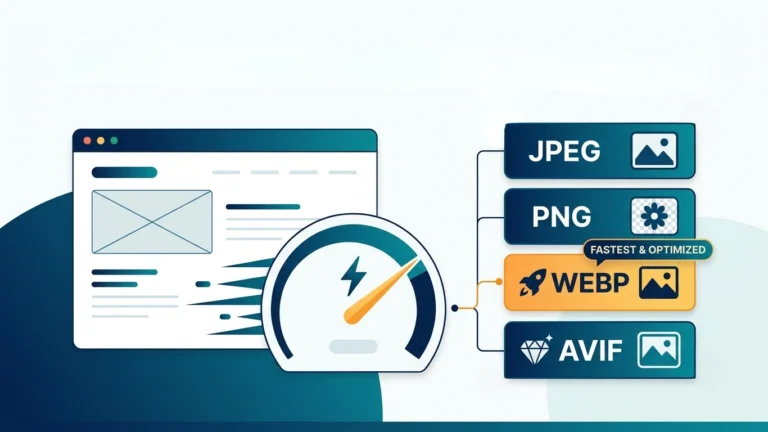
| WebP | Most Website Images | Very Small | ★★★★★ Best Choice |
| PNG | Transparent Images | Large | Use Only When Needed |
| SVG | Logos & Icons | Very Small | Excellent |
Why WebP Is the Best Choice
WebP has become the preferred image format for modern eCommerce websites because it provides excellent visual quality while significantly reducing file sizes.
- Smaller file sizes than JPEG and PNG
- Excellent image quality
- Supports transparency
- Faster page loading
- Improves Google PageSpeed Insights scores
- Helps improve Core Web Vitals
- Better mobile performance
Whenever possible, upload WooCommerce product images in WebP format. It provides the best balance between quality and performance for most online stores.
How to Optimize WooCommerce Product Images
Simply uploading product photos is not enough. Every image should be optimized before being added to your WooCommerce store. Proper optimization improves website speed, enhances user experience, and increases the likelihood of ranking higher in search results.
Step 1: Resize the Image
Resize product images to approximately 1200 × 1200 pixels. Uploading extremely large images only increases page size without improving image quality.
Step 2: Compress the Image
Compression removes unnecessary image data while maintaining excellent visual quality. Most WooCommerce stores achieve great results by reducing image quality slightly without noticeable visual differences.
Step 3: Convert to WebP
Converting product images to WebP significantly reduces file sizes while maintaining sharp product photos.
Step 4: Use Descriptive File Names
Rename your images before uploading them.
Example:
wireless-gaming-mouse-black.webp
Avoid filenames such as:
IMG_2457.jpg
Step 5: Add ALT Text
ALT text helps search engines understand your product images while improving accessibility for users with screen readers.
Example:
Black wireless gaming mouse with RGB lighting.
Step 6: Test Image Quality
Always review images on desktop, tablet, and mobile devices before publishing products to ensure they appear sharp and consistent.
WooCommerce Image SEO Best Practices
Optimizing images for search engines helps your WooCommerce products appear in Google Images and improves your overall SEO performance.
Use Keyword-Rich File Names
- leather-office-chair.webp
- wireless-keyboard.webp
- wooden-dining-table.webp
Write Descriptive ALT Text
Describe the product naturally instead of stuffing keywords. Clear ALT text improves accessibility and image search visibility.
Compress Every Image
Never upload original camera photos directly to WooCommerce. Compress every product image before publishing.
Keep Image Dimensions Consistent
Using the same dimensions across your product catalog creates a clean layout and prevents layout shifts.
Enable Lazy Loading
Lazy loading delays images below the visible area until users scroll down, reducing the initial page load time.
Optimize Featured Images
Homepage banners and featured products often contribute the most to loading time. Compress these images carefully to improve Largest Contentful Paint (LCP).
Improve WooCommerce Store Speed with Optimized Images
Image optimization is one of the most effective ways to improve WooCommerce performance. Since product images typically make up the largest portion of page size, reducing their file size can dramatically improve loading speed.
Optimized images help improve:
- Google PageSpeed Insights scores
- Core Web Vitals
- Largest Contentful Paint (LCP)
- Mobile browsing experience
- SEO performance
- Customer engagement
- Conversion rates
Compress your homepage hero banner first. It is usually the largest image on your WooCommerce store and has the biggest impact on loading speed.
Common WooCommerce Image Mistakes to Avoid
- Uploading original DSLR or smartphone photos.
- Using different image dimensions for similar products.
- Uploading PNG files when JPEG or WebP is sufficient.
- Ignoring image compression.
- Missing ALT text.
- Using generic filenames such as IMG001.jpg.
- Uploading oversized homepage banners.
- Skipping WebP conversion.
- Using blurry or low-resolution product photos.
- Never testing images on mobile devices.
Avoiding these common mistakes helps your WooCommerce store load faster, rank better in search engines, and provide customers with a professional shopping experience.
Related Articles
You may also find these guides helpful:
- SVG to PNG Converter
- PNG to PDF
- HEIC to PNG
- AVIF to PNG
- BMP to PNG
- ICO to PNG
- PNG to DXF
- SVG to DXF
- TIFF Meaning
- Google Images