
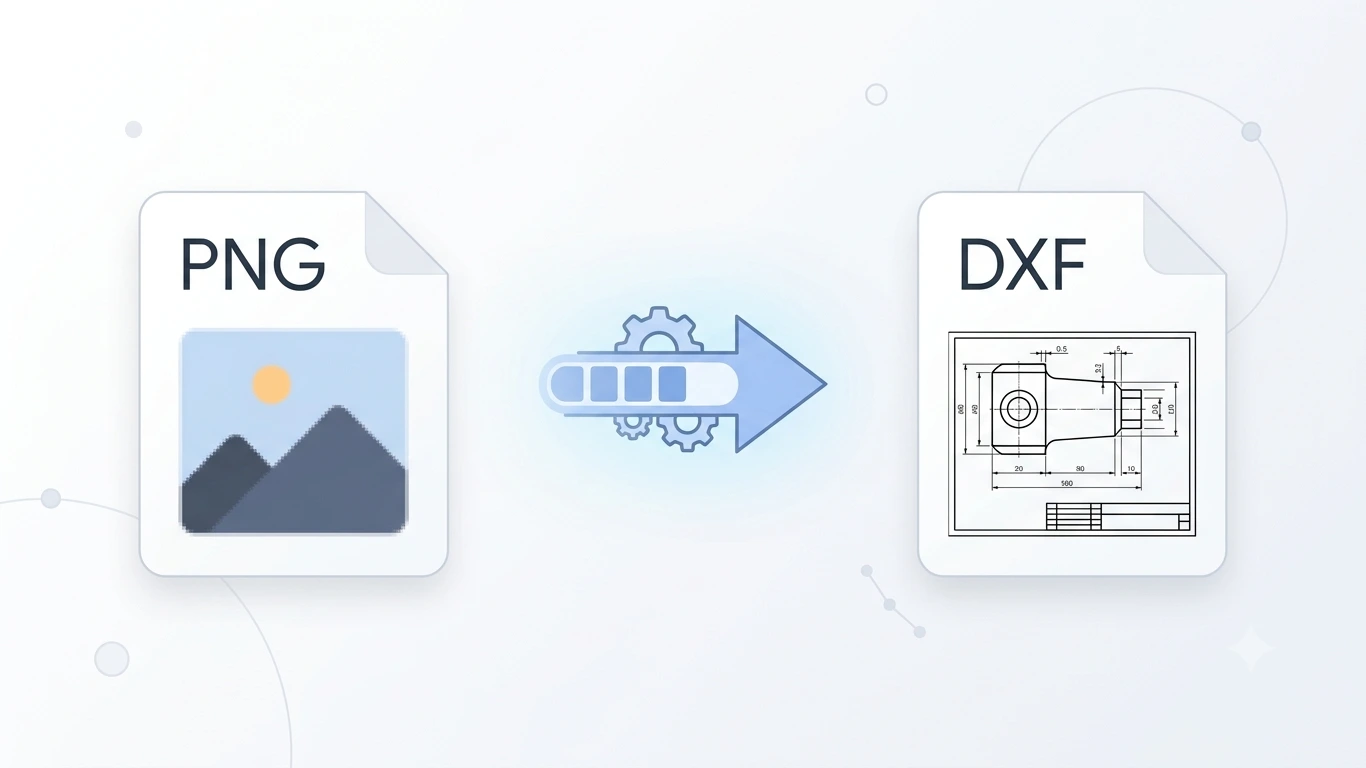
PNG to DXF: How to Convert PNG Images to DXF for Free
PNG to DXF
Need to convert a PNG image to DXF for CNC machining, laser cutting, AutoCAD, or other CAD software? You’re in the right place. Converting a PNG (Portable Network Graphics) image into a DXF (Drawing Exchange Format) file allows you to transform raster graphics into vector-based drawings that are compatible with engineering, manufacturing, and cutting machines.
Whether you’re preparing artwork for a CNC router, creating laser cutting designs, or importing graphics into AutoCAD, learning how to convert PNG to DXF is essential. This guide covers the easiest methods using free online tools, Inkscape, CorelDRAW, Adobe Illustrator, and AutoCAD.
You’ll also learn why image tracing is necessary, how to preserve quality during conversion, and the best practices for creating accurate DXF files.
Featured Snippet: How Do You Convert PNG to DXF?
To convert PNG to DXF, first convert the raster PNG image into vector paths using software like Inkscape, CorelDRAW, or Adobe Illustrator. Then export the vector artwork as a DXF file. You can also use online PNG to DXF converters for quick conversions, although professional software usually provides more accurate results.
Table of Contents
- What Is a PNG File?
- What Is a DXF File?
- Why Convert PNG to DXF?
- Why Image Tracing Is Required
- How to Convert PNG to DXF
- Best PNG to DXF Converter Tools
- PNG vs DXF Comparison
- Frequently Asked Questions
- Conclusion
What Is a PNG File?
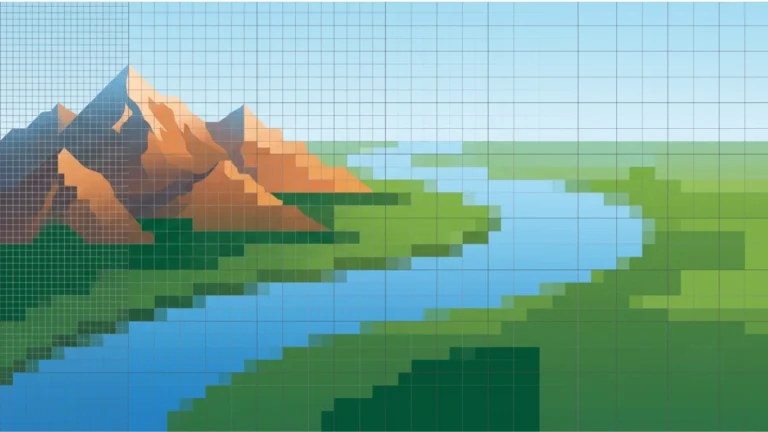
PNG (Portable Network Graphics) is a popular raster image format known for its lossless compression and support for transparent backgrounds. Unlike vector formats, PNG images are made up of pixels, which means they lose quality when enlarged.
PNG files are commonly used for:
- Logos with transparent backgrounds
- Website graphics
- User interface elements
- Icons
- Digital artwork
- Screenshots
- Product images
- Social media graphics
PNG is an excellent choice for digital images, but because it is a raster format, it cannot be directly edited as vector geometry in CAD software.
What Is a DXF File?
DXF (Drawing Exchange Format) is a vector file format developed by Autodesk for sharing technical drawings between CAD applications. It stores lines, curves, and geometric shapes instead of pixels, making it ideal for engineering and manufacturing.
DXF files are widely used in:
- AutoCAD
- CNC machining
- Laser cutting
- Plasma cutting
- Waterjet cutting
- Mechanical engineering
- Architectural drafting
- Industrial manufacturing
Unlike PNG images, DXF files contain editable vector geometry that can be measured, scaled, and modified without losing quality.
Why Convert PNG to DXF?
A PNG image cannot be directly used by most CAD software or CNC machines because it contains pixels instead of vector paths. Converting PNG to DXF transforms the image into scalable vector geometry that machines and engineering software can understand.
Converting PNG to DXF allows you to:
- Create CNC machining toolpaths.
- Prepare artwork for laser cutting.
- Import graphics into AutoCAD.
- Create CAD-compatible vector drawings.
- Edit designs without losing quality.
- Scale artwork accurately.
- Reuse logos and illustrations in engineering projects.
Why Image Tracing Is Required
One important difference between PNG and DXF is that PNG is a raster image while DXF is a vector format. This means a PNG image must first be converted into vector paths before it can be exported as a DXF file.
This process is called image tracing or vectorization. During tracing, software detects the outlines of objects in the PNG image and converts them into editable vector paths.
Higher-quality PNG images usually produce more accurate DXF files with smoother curves and cleaner edges.
Common Uses of PNG to DXF Conversion
| Industry | Why DXF Is Needed |
|---|---|
| CNC Machining | Create machine toolpaths from artwork. |
| Laser Cutting | Generate precise cutting lines. |
| Architecture | Convert sketches into CAD drawings. |
| Mechanical Engineering | Edit vector designs in CAD software. |
| Manufacturing | Prepare production-ready vector files. |
| Woodworking | Create CNC carving designs. |
| Metal Fabrication | Produce accurate cutting layouts. |
| Sign Making | Create vector files for cutting machines. |
PNG vs DXF: Quick Comparison
| Feature | PNG | DXF |
|---|---|---|
| File Type | Raster Image | Vector Drawing |
| Scalable Without Quality Loss | No | Yes |
| Supports Transparency | Yes | No |
| Editable in CAD | No | Yes |
| Best For | Web graphics | Engineering drawings |
| CNC Compatible | No | Yes |
| Laser Cutting | No | Yes |
Who Needs a PNG to DXF Converter?
PNG to DXF conversion is useful for:
- Graphic designers
- CNC machine operators
- Laser cutting businesses
- Mechanical engineers
- Architects
- Manufacturers
- Woodworkers
- Sign makers
- CAD professionals
- DIY makers and hobbyists
Benefits of Converting PNG to DXF
- Creates editable vector drawings.
- Supports CNC and CAD software.
- Improves scalability.
- Produces accurate cutting paths.
- Works with AutoCAD and similar applications.
- Ideal for engineering and manufacturing projects.
- Converts logos and artwork into production-ready files.
How to Convert PNG to DXF
Converting a PNG image to DXF is different from converting one vector format to another. Since PNG is a raster image made of pixels, it must first be vectorized (image traced) before it can be exported as a DXF file.
Fortunately, several free and professional tools can perform this process. Below are the most effective methods for converting PNG to DXF while maintaining high-quality vector paths.
Method 1: Convert PNG to DXF Using an Online Converter
An online PNG to DXF converter is the fastest option for simple designs such as logos, icons, and black-and-white graphics.
Steps
- Open an online PNG to DXF converter.
- Upload your PNG image.
- Allow the tool to trace the image into vector paths.
- Select DXF as the output format.
- Download the converted DXF file.
Advantages
- No software installation.
- Quick and beginner-friendly.
- Works on Windows, macOS, Linux, and mobile devices.
- Ideal for occasional conversions.
Limitations
- Less accurate for complex images.
- Upload size restrictions.
- Limited editing options.
- Internet connection required.
Method 2: Convert PNG to DXF Using Inkscape
Inkscape is one of the best free tools for converting PNG images into vector graphics and exporting them as DXF files.
Steps
- Open your PNG image in Inkscape.
- Select the image.
- Click Path → Trace Bitmap.
- Adjust the tracing settings.
- Apply the trace.
- Delete the original PNG image.
- Select File → Save As.
- Choose Desktop Cutting Plotter (AutoCAD DXF R14).
- Save the DXF file.
Method 3: Convert PNG to DXF Using CorelDRAW
CorelDRAW includes PowerTRACE, a powerful bitmap-to-vector tool that produces high-quality vector artwork before exporting to DXF.
Steps
- Import the PNG image into CorelDRAW.
- Select the image.
- Choose Trace Bitmap (PowerTRACE).
- Adjust tracing accuracy and smoothing.
- Remove unnecessary nodes.
- Click Apply.
- Select File → Export.
- Choose DXF.
- Export the vector drawing.
This method is ideal for logos, illustrations, technical drawings, and manufacturing artwork.
Method 4: Convert PNG to DXF Using Adobe Illustrator
Adobe Illustrator’s Image Trace feature makes it easy to convert raster images into vector graphics suitable for DXF export.
Steps
- Open the PNG image.
- Select the image.
- Click Image Trace.
- Choose the appropriate preset.
- Expand the traced artwork.
- Clean unnecessary anchor points.
- Select File → Export.
- Choose DXF as the output format.
Method 5: Convert PNG to DXF Using AutoCAD
AutoCAD does not directly convert PNG images into DXF files. Instead, you should first vectorize the PNG using another program, then import the vector artwork into AutoCAD for editing and saving as DXF.
Recommended Workflow
- Vectorize the PNG in Inkscape, CorelDRAW, or Adobe Illustrator.
- Export as DXF.
- Open the DXF file in AutoCAD.
- Edit dimensions and geometry if needed.
- Save the final CAD drawing.
Best PNG to DXF Converter Tools
| Software | Free | Best For |
|---|---|---|
| Inkscape | Yes | Free vector tracing. |
| CorelDRAW | No | Professional bitmap tracing. |
| Adobe Illustrator | No | High-quality Image Trace. |
| AutoCAD | No | Editing DXF drawings. |
| Online PNG to DXF Converters | Usually | Quick conversions. |
How Image Tracing Works
Image tracing converts pixels into mathematical vector paths. Instead of storing colors pixel by pixel, the software detects edges and creates editable lines and curves.
| Raster Image | Vector Drawing |
|---|---|
| Pixels | Paths |
| Loses quality when enlarged | Scales without quality loss |
| Not editable in CAD | Fully editable |
| Ideal for photographs | Ideal for engineering drawings |
Common PNG to DXF Conversion Problems
| Problem | Solution |
|---|---|
| Jagged edges | Use a higher-resolution PNG. |
| Too many nodes | Simplify vector paths. |
| Poor tracing | Adjust tracing threshold. |
| Incorrect scale | Check document units. |
| Broken curves | Clean paths before exporting. |
| Import issues | Export using AutoCAD-compatible DXF. |
Advantages of PNG to DXF Conversion
- Converts raster artwork into editable vector drawings.
- Compatible with AutoCAD and CAD software.
- Creates CNC-ready toolpaths.
- Ideal for laser cutting and manufacturing.
- Produces scalable vector graphics.
- Makes logos and sketches editable.
- Supports accurate measurements.
Limitations of PNG to DXF Conversion
- Image tracing is required.
- Low-resolution images produce poor results.
- Photographs are difficult to vectorize accurately.
- Fine details may require manual editing.
- Complex images generate many vector nodes.
When Should You Convert PNG to DXF?
PNG to DXF conversion is recommended when you need to transform raster artwork into vector geometry for manufacturing or engineering applications.
Typical use cases include:
- CNC routing
- Laser cutting
- Plasma cutting
- Waterjet cutting
- Architectural drawings
- Mechanical engineering
- Sign making
- Industrial manufacturing
PNG vs DXF: Detailed Comparison
| Feature | PNG | DXF |
|---|---|---|
| Image Type | Raster | Vector |
| Editable | No | Yes |
| Supports Transparency | Yes | No |
| Scalable | No | Yes |
| CAD Compatible | No | Yes |
| CNC Ready | No | Yes |
| Best For | Digital images | Engineering and manufacturing |
Best Practices for PNG to DXF Conversion
Converting a PNG to DXF involves more than simply changing the file extension. Since PNG is a raster format, the quality of the final DXF depends on how accurately the image is traced into vector paths. Following these best practices will help you create clean, machine-ready DXF files.
- Use a high-resolution PNG image (300 DPI or higher when possible).
- Choose images with strong contrast between the subject and background.
- Convert text into vector outlines after tracing.
- Remove unnecessary nodes to simplify the design.
- Delete duplicate or overlapping paths.
- Use closed paths for CNC and laser cutting.
- Verify the drawing scale before exporting.
- Preview the DXF file before production.
PNG to DXF for CNC Machines
CNC machines require vector paths to calculate cutting or engraving toolpaths. Since PNG files contain pixels instead of vector lines, they must first be converted into DXF format.
For the best CNC results:
- Use high-quality source images.
- Trace the artwork carefully.
- Remove unnecessary anchor points.
- Close all vector paths.
- Use consistent measurement units.
- Test the DXF file before machining.
Well-prepared DXF files reduce machining errors and improve cutting accuracy.
PNG to DXF for Laser Cutting
Laser cutters require precise vector outlines to generate clean cuts. A properly traced DXF file ensures smoother cutting paths and minimizes wasted material.
Before laser cutting:
- Convert all text to outlines.
- Delete duplicate lines.
- Remove unnecessary nodes.
- Verify artwork dimensions.
- Check for open paths.
- Preview the DXF in your laser software.
PNG to DXF for Plasma and Waterjet Cutting
Plasma cutters and waterjet machines also rely on vector paths. Clean DXF files help these machines follow accurate cutting lines while reducing material waste.
Recommended practices include:
- Keep curves smooth.
- Avoid tiny unnecessary details.
- Use continuous vector paths.
- Check the design scale before exporting.
PNG to DXF for AutoCAD
AutoCAD users often convert company logos, technical sketches, scanned drawings, and diagrams from PNG into DXF for editing and measurement.
Once imported into AutoCAD, you can:
- Edit vector geometry.
- Add dimensions.
- Create engineering drawings.
- Generate production files.
- Export additional CAD formats.
Improve PNG Quality Before Converting to DXF
The quality of your PNG image has a direct impact on the quality of the final DXF file. Improving the source image before tracing usually produces cleaner vector paths.
| Improvement | Benefit |
|---|---|
| Increase Resolution | Produces smoother vector curves. |
| Remove Background | Improves tracing accuracy. |
| Increase Contrast | Makes edges easier to detect. |
| Sharpen Image | Creates cleaner outlines. |
| Crop Unwanted Areas | Reduces tracing errors. |
| Convert to Black & White | Improves logo tracing quality. |
Common PNG to DXF Conversion Errors
| Error | Cause | Solution |
|---|---|---|
| Jagged Edges | Low-resolution PNG | Use a higher-quality image. |
| Too Many Nodes | Complex tracing | Simplify vector paths. |
| Missing Details | Low tracing accuracy | Adjust tracing settings. |
| Wrong Scale | Incorrect units | Check document units before export. |
| Broken Paths | Poor vector cleanup | Join or repair open paths. |
| Import Failure | Unsupported DXF version | Export using AutoCAD R14 or a compatible version. |
Tips for Better PNG to DXF Results
- Start with the highest-quality PNG available.
- Use logos or line art instead of photographs whenever possible.
- Reduce image noise before tracing.
- Manually clean vector paths after tracing.
- Keep curves smooth and simple.
- Always preview the DXF in CAD software.
- Save the original PNG as a backup.
- Test the file before manufacturing.
Who Should Use PNG to DXF Conversion?
| User | Why Convert PNG to DXF? |
|---|---|
| Graphic Designers | Convert logos into editable vectors. |
| CNC Operators | Create machining toolpaths. |
| Laser Cutting Businesses | Prepare precision cutting files. |
| Architects | Digitize sketches for CAD. |
| Mechanical Engineers | Edit technical drawings. |
| Manufacturers | Create production-ready vector files. |
| Sign Makers | Prepare artwork for cutting machines. |
| DIY Makers | Create custom CNC and laser projects. |
Frequently Asked Questions (FAQs)
Can I convert PNG to DXF for free?
Yes. Free software such as Inkscape and several online PNG to DXF converters allow you to convert images into DXF files without purchasing professional software.
Can I convert a photograph into DXF?
Yes, but photographs usually require extensive image tracing and cleanup. Simple logos, icons, and line drawings produce much better results.
Will converting PNG to DXF improve image quality?
No. Converting to DXF does not improve the original image quality. It simply converts raster pixels into vector paths that can be edited and scaled without additional quality loss.
Why does my DXF file contain too many points?
Complex PNG images often generate many vector nodes during tracing. Simplifying the paths after tracing helps create cleaner and more efficient DXF files.
Can I use PNG to DXF for laser cutting?
Yes. After proper vectorization, DXF files are widely accepted by laser cutting software and machines.
Can AutoCAD convert PNG to DXF directly?
No. AutoCAD is primarily used for editing DXF files. The PNG image should first be vectorized in software like Inkscape, CorelDRAW, or Adobe Illustrator before importing it into AutoCAD.
Which images work best for PNG to DXF conversion?
Simple logos, icons, technical drawings, and black-and-white illustrations generally produce the most accurate vector conversions.
PNG to DXF Conversion Checklist
| Task | Recommendation |
|---|---|
| Image Resolution | 300 DPI or higher. |
| Background | Remove unnecessary backgrounds. |
| Tracing | Adjust settings for accuracy. |
| Vector Cleanup | Delete duplicate nodes and paths. |
| Units | Use millimeters or inches consistently. |
| Scale | Verify before exporting. |
| DXF Version | Use AutoCAD R14 when available. |
| Final Check | Preview the DXF before production. |
Conclusion: How to Convert PNG to DXF
Converting a PNG to DXF allows you to transform raster images into editable vector drawings that work with CAD software, CNC routers, laser cutters, plasma cutters, and other manufacturing equipment. Since PNG files are pixel-based, the most important step is creating a clean vector trace before exporting to DXF.
Whether you use an online PNG to DXF converter, Inkscape, CorelDRAW, Adobe Illustrator, or AutoCAD, starting with a high-quality PNG image will significantly improve the accuracy of the final DXF file.
For professional CNC machining and laser cutting projects, always inspect the exported DXF file, remove unnecessary vector nodes, verify the dimensions, and perform a test import before sending the file to production.
Use PNG for digital images and web graphics, but convert to DXF whenever you need editable vector drawings for CAD software, CNC machining, engineering, or laser cutting applications.
PNG to DXF Quick Reference
| Question | Answer |
|---|---|
| Input Format | PNG (Portable Network Graphics) |
| Output Format | DXF (Drawing Exchange Format) |
| Image Type | Raster to Vector |
| Best Free Software | Inkscape |
| Professional Software | CorelDRAW, Adobe Illustrator, AutoCAD |
| Best For | CNC, CAD, Laser Cutting |
| Vector Output | Yes |
| Requires Image Tracing | Yes |
When Should You Convert PNG to DXF?
Choose the DXF format whenever your project requires vector geometry instead of pixels.
- CNC routing
- Laser cutting
- Plasma cutting
- Waterjet cutting
- AutoCAD drawings
- Mechanical engineering
- Architectural drafting
- Industrial manufacturing
- Sign making
- Technical illustrations
Related Articles
Continue learning about image formats, vector graphics, and file conversion with these helpful guides:
- SVG to DXF
- SVG vs PNG
- How to Convert SVG to PNG
- CDR Meaning
- JPG vs PNG Quality
- WebP vs JPEG
- WordPress Image SEO
- eCommerce Image Optimization
SEO Image Alt Text Suggestions
| Image | Recommended Alt Text |
|---|---|
| Featured Image | PNG to DXF conversion process for CNC machining, AutoCAD, CAD software, and laser cutting. |
| Online Converter | Uploading a PNG image to an online PNG to DXF converter. |
| Inkscape | Tracing a PNG image and exporting it as a DXF file using Inkscape. |
| CorelDRAW | Converting a PNG image into DXF using CorelDRAW PowerTRACE. |
| Adobe Illustrator | Using Adobe Illustrator Image Trace to convert PNG into DXF. |
| AutoCAD | Opening a DXF file created from a PNG image in AutoCAD. |
| CNC Machine | DXF file created from a PNG image for CNC routing. |
| Laser Cutter | Laser cutting artwork converted from PNG to DXF. |
| Comparison Table | Comparison between PNG and DXF file formats. |
| Workflow Diagram | Step-by-step PNG to DXF conversion workflow. |
Target Keywords Included
This article naturally targets the primary keyword PNG to DXF while incorporating related long-tail keywords:
- png to dxf
- convert png to dxf
- png to dxf converter
- free png to dxf converter
- png to dxf online
- image to dxf
- raster to dxf
- png to cad
- png to dxf for cnc
- png to dxf for laser cutting
- png to dxf autocad
- convert image to dxf
Frequently Asked Questions
Can I convert PNG to DXF without losing quality?
The quality depends on the original PNG image and the tracing process. High-resolution images with clean edges produce the best DXF files.
What is the best free PNG to DXF converter?
Inkscape is one of the best free tools because it includes the Trace Bitmap feature and can export directly to DXF.
Can AutoCAD convert PNG to DXF?
AutoCAD does not directly trace PNG images. First convert the PNG into vector paths using software like Inkscape, CorelDRAW, or Adobe Illustrator, then import the resulting DXF into AutoCAD.
Can I use PNG to DXF for CNC machines?
Yes. Once the PNG image has been properly vectorized into a DXF file, it can be used with many CNC routers and CAD/CAM applications.
Can I convert a logo from PNG to DXF?
Yes. Logos are among the easiest images to convert because they usually contain simple shapes and high-contrast edges.

One Comment